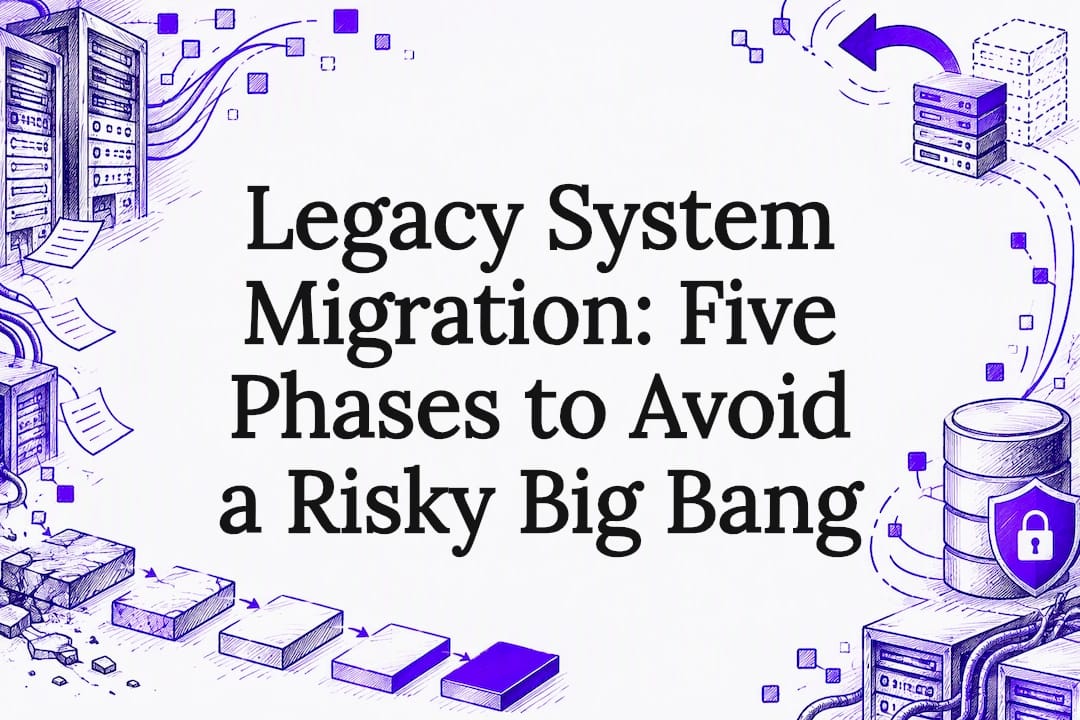
Legacy system migration means moving an organization’s outdated applications, data, and infrastructure to a modern platform without breaking the business that depends on them. A phased, incremental approach beats a single cutover for almost every real-world case. The U.S. Government Accountability Office has flagged the budget strain of maintaining aging federal systems, and Microsoft’s Cloud Adoption Framework backs phased modernization as the safer default.
TL;DR:
- Keep stable, isolated, inexpensive systems behind a modern API; migrate when maintenance costs rise, security patches stop, or the system blocks needed change.
- Before changing code, map dependencies and capture current behavior with characterization tests; require a disposition plan and measurable success criteria for each migration slice.
- When the business has little tolerance for downtime, use parallel runs and canary releases, budgeting for temporary upkeep and tested rollback scripts before expanding traffic.
- During active migration, run reconciliation jobs daily, enforce matching business rules in both systems, and name one system of record to prevent data drift.
- Choose encapsulation or rehosting when disruption must stay low; reserve refactoring or rebuilding for systems with high technical debt and strict compliance needs.
Table of Contents
- What legacy system migration covers and common examples
- Why migration matters: cost, risk, and realistic time horizons
- Common migration challenges and risks to budget for
- Phased migration workflow: five phases from discovery to decommission
- Migration strategy options: rehost, replatform, refactor, rearchitect, and encapsulation
- Data migration and testing: characterization tests and rollback planning
- Decision framework and executive-ready roadmap checklist
- Proof in production: migrations we’ve run
- Change management and user training during migration
- Maintaining data integrity and consistency throughout migration
- Post-migration monitoring and performance optimization
- A pragmatic take on how migrations actually succeed
- How Dogtooth Inc. approaches legacy migration work
- FAQ
- Sources
What legacy system migration covers and common examples
Legacy system migration spans four layers that most teams underestimate until they start mapping them: the applications themselves, the data they hold, the infrastructure they run on, and the integrations that quietly connect them to everything else. “Legacy” doesn’t just mean old. It means a system that’s hard to change safely, poorly documented, or running on a platform nobody can hire for anymore.
Some of the most common legacy footprints we see include:
- COBOL applications running on mainframes that predate most of the current engineering team
- On-premises ERP systems customized so heavily that vendor upgrades no longer apply cleanly
- Monolithic e-commerce platforms that bundle inventory, checkout, and fulfillment into one fragile codebase
- Aging middleware and bespoke point-to-point integrations nobody fully mapped
Not every legacy system needs to move. When a system is stable, isolated, and cheap to run, encapsulating it behind a modern API and leaving the internals alone is often the smarter call. Migration becomes the right move when maintenance costs climb, security patches stop shipping, or the system blocks a business initiative that depends on faster change.
Why migration matters: cost, risk, and realistic time horizons
The financial case for migration isn’t abstract. Systems that nobody wants to touch because they’re too risky to change tend to absorb a disproportionate share of IT spending just to keep running, leaving little left over for new capability.
Federal agencies spend most of their IT budgets on operations and maintenance rather than modernization, according to the GAO’s review of legacy systems, which recommended that agencies document modernization plans with clear milestones, defined work, and disposition strategies to reduce the risk of cost overruns and project failure. That pattern holds outside government too: money spent babysitting old systems is money not spent building what the business actually needs next.
Migration delivers three concrete benefits when it’s done well: lower operating cost over time as brittle, manually patched systems give way to maintainable ones, stronger security posture as unsupported platforms get replaced, and faster feature delivery once teams aren’t blocked by code nobody understands.
The realistic time horizon matters too. Full-scale replacements of complex systems routinely take years, not months, and the GAO’s findings suggest that projects without documented milestones and disposition plans are the ones most likely to overrun. Phased investment solves this by letting leadership measure return at each milestone, slice by slice, rather than waiting years for a single go-live to prove the spend was worth it.
Common migration challenges and risks to budget for
Every migration carries a set of predictable risks. Executives who require specific mitigations for each one in a vendor’s statement of work avoid most of the expensive surprises.
- Undocumented business logic buried in old code, which makes dependency mapping slow and error-prone
- Data migration complexity, including dual-write inconsistencies and reconciliation gaps between old and new systems
- Downtime windows, newly exposed security vulnerabilities, and a shrinking pool of specialists who still know legacy languages like COBOL
- Scope creep and weak governance, which are consistently cited as drivers of cost and schedule overruns in multi-year modernization efforts
IBM’s guidance on legacy code migration emphasizes discovery and dependency mapping before any code changes begin: map the code, identify what depends on what, and prepare the target environment and test pipelines first. Skipping that step is one of the most common reasons migrations stall mid-project.
Pro Tip: Require your migration partner to produce a dependency map and a disposition plan for every legacy component before any code gets touched.
Phased migration workflow: five phases from discovery to decommission
A phased migration breaks a large, risky project into stages small enough to measure and reverse. Each phase has its own success criteria, and no phase starts until the last one is validated.
- Discovery and assessment. Inventory every application, data store, and integration point. Score each component by risk and business criticality, and build characterization tests that capture how the current system actually behaves, not just what the documentation says it does.
- Planning and architecture. Decide which capability slices move first, define the target environment, and set explicit, measurable success criteria for each slice before any code moves.
- Execution. Apply the chosen migration pattern, often the Strangler Fig approach, routing traffic slice by slice to the new system while the legacy system keeps running in parallel.
- Testing and validation. Run characterization and differential tests against both systems, deploy canaries to a small slice of real traffic, and keep rollback scripts ready before expanding exposure.
- Optimization and decommission. Monitor the new system under full load, hand off operations to the team that will run it long term, and only then remove the legacy path.
freeCodeCamp’s guide to incremental monolith migration lays out this pattern in detail: characterize legacy behavior first, migrate one capability at a time, route traffic explicitly, use progressive rollouts, and design the rollback mechanism before you need it, not after.
| Phase | Primary goal | What “done” looks like |
|---|---|---|
| Discovery & assessment | Inventory and risk-score every component | Dependency map and characterization tests complete |
| Planning & architecture | Choose slices and target environment | Documented success criteria per slice |
| Execution | Migrate capability slices with parallel run | Traffic routed to new system per slice |
| Testing & validation | Prove behavioral parity | Differential tests pass, rollback scripts ready |
| Optimization & decommission | Stabilize and retire legacy path | Legacy system fully decommissioned |
Microsoft’s modernization guidance echoes this structure, recommending that teams break modernization into phases, define success criteria per phase, and choose between parallel and in-place deployment based on how much risk the business can tolerate at each step. A parallel run, where old and new systems operate side by side during cutover, costs more to maintain temporarily but gives teams a live fallback if something breaks. In-place replacement is faster but leaves no safety net.
Migration strategy options: rehost, replatform, refactor, rearchitect, and encapsulation
Choosing the right strategy per workload matters more than picking one approach for the whole portfolio. Microsoft’s Cloud Adoption Framework frames these options on a continuum from low effort and fast gains to high effort and long-term payoff.
- Rehost moves a system to new infrastructure with minimal code changes, often the fastest way to exit an unsupported data center.
- Replatform makes small adjustments, like swapping a database engine, to gain cloud benefits without a full rewrite.
- Refactor restructures code to improve maintainability while keeping the same overall architecture.
- Rearchitect or rebuild redesigns the system from the ground up, the most complex option but the one that delivers the highest long-term scalability, according to Microsoft’s framework.
- Encapsulation wraps the legacy system behind a modern API and leaves the internals untouched, useful when the system is stable but needs to talk to newer tools.
Regulatory pressure and compliance requirements tend to favor refactor or rebuild, since those paths give full control over how data is handled and audited. Low tolerance for business disruption favors encapsulation or a straightforward rehost. Microsoft’s planning guidance warns that modernizing during migration adds real complexity and should only happen when there’s a clear business case for doing both at once. Otherwise, migrate first and modernize later, once the system is stable on its new foundation.
Data migration and testing: characterization tests and rollback planning
Data migration is its own problem, separate from application migration, and treating it as an afterthought is one of the most common reasons projects stall. Moving the data correctly means preserving referential integrity, timing, and edge cases that the old system handled in ways nobody wrote down.
| Practice | What it catches |
|---|---|
| Characterization tests | Undocumented behavior in the legacy system before any code changes |
| Differential testing | Mismatches between old and new system outputs on the same input |
| Reconciliation jobs | Data drift between dual-write systems |
| Rollback scripts | A safe path back if validation fails post-cutover |
freeCodeCamp’s incremental migration guidance recommends characterization tests specifically because they capture what the legacy system does today, bugs included, so the new system can be compared against that baseline rather than an idealized spec. Differential testing then runs the same inputs against both systems and flags any divergence before it reaches production. Dual-writing to old and new databases simultaneously is a common technique, but it introduces its own consistency risks; replication with a reconciliation step afterward is often a safer mechanic than dual-writing blind.
Pro Tip: Never schedule a migration slice without a tested rollback script. If you can’t reverse it in minutes, you’re not ready to ship it.
Decision framework and executive-ready roadmap checklist
Choosing a migration approach comes down to five criteria that leaders should score for every major system before committing a budget: business value at stake, tolerance for downtime, accumulated technical debt, team maturity with the target platform, and compliance requirements.
- High business value and low downtime tolerance usually favor encapsulation or a phased rehost over a risky big-bang rewrite
- High technical debt combined with strong compliance needs tends to justify a full refactor or rebuild
- Low team maturity with the target stack is a signal to slow down and budget for training, not just migration
On budgeting, build in contingency for data reconciliation work. Practitioner observations suggest that underestimating data migration complexity, alongside weak governance, is a leading driver of scope creep and cost overruns in multi-year modernization projects, a pattern consistent with the GAO’s findings on federal IT modernization. Before approving any phase, require documented success criteria specific to that phase, a defined freeze window during cutover, and a tested rollback plan that’s been exercised at least once before go-live.
Proof in production: migrations we’ve run
Across client engagements, we’ve handled migrations ranging from research-platform overhauls to disaster recovery under pressure.
- A complex Drupal 6 research platform migration moved years of accumulated data and custom logic onto a modern stack without losing researcher-facing functionality.
- Consolidating fragmented martech, we migrated three Keap accounts into Maropost, unifying messaging infrastructure that had grown disconnected over time.
- When a client’s server was wiped entirely, we completed a full platform recovery within 24 hours, the kind of rollback readiness every migration plan should assume it might need.
- Preserving analytics continuity during platform changes, our work on Meta CAPI tracking across 15+ ad accounts shows how integrations can survive a migration intact.
Change management and user training during migration
A technically flawless migration can still fail if the people using the system every day aren’t ready for it. Change management isn’t a side task bolted onto the end of a project. It needs its own timeline running alongside the technical phases.
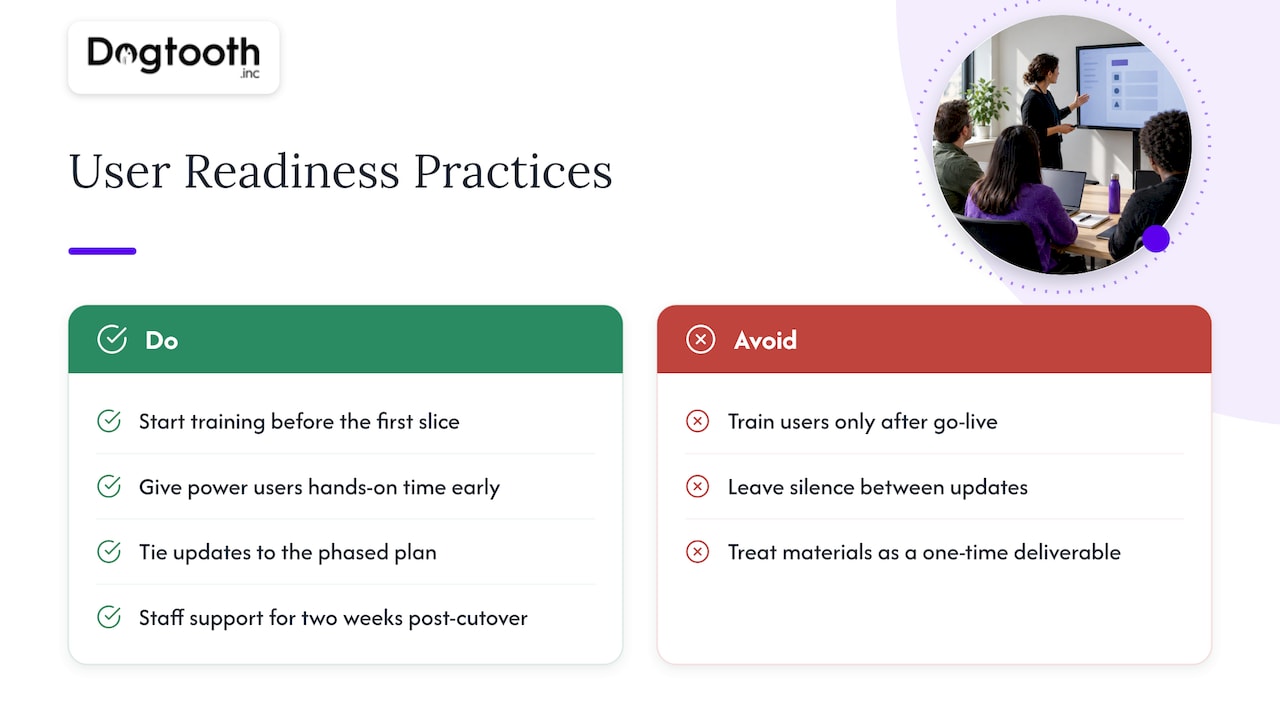
Start training before the first slice goes live, not after. Users who understand what’s changing and why adapt faster and generate fewer support tickets in the first weeks post-cutover. Identify a small group of power users early and give them hands-on time with the new system before the broader rollout, so they can answer peer questions and surface friction points the project team might miss.
Communicate on a cadence tied to the phased plan itself: what’s changing in this slice, what stays the same, and where to get help if something breaks. Silence between updates is what breeds resistance, far more than the change itself does.
Plan for a temporary dip in productivity around each cutover, and staff support accordingly. Teams that budget extra help desk capacity for the two weeks following a slice’s go-live catch problems before they compound. Treat training materials as living documents that get updated every phase, not a one-time deliverable that goes stale by the third slice.
Maintaining data integrity and consistency throughout migration
Data integrity has to be designed in from the first phase, not checked at the end. The moment two systems hold overlapping data, even temporarily during a parallel run, there’s a risk of drift that compounds if nobody’s watching for it.
Reconciliation jobs that compare records between old and new systems on a regular schedule are the most reliable way to catch drift early, before it reaches a point where manual cleanup becomes expensive. Running these jobs daily during an active migration slice, rather than weekly, catches problems while they’re still small.
Validation at the point of write matters as much as reconciliation after the fact. Enforcing the same business rules in both systems during a parallel run prevents one system from silently accepting data the other would reject. Logging every discrepancy, rather than just the ones that cause visible errors, gives the team a record to work from when something does need manual correction.
Finally, define ownership clearly: one system should be the system of record at any given moment during a transition, even if both are being written to. Ambiguity about which system holds the truth is how small inconsistencies turn into disputed numbers in a quarterly report.
Post-migration monitoring and performance optimization
Go-live isn’t the finish line. The weeks immediately following a cutover are when the new system reveals the issues that didn’t show up in testing, under real traffic patterns and real user behavior.
Set up monitoring before the first slice goes live, not after, covering response times, error rates, and resource usage against the baseline the legacy system established. Watching for both outright failures and the slower, “working but no longer fast enough” problem matters here, since the second one rarely trips a standard alert.
Keep the legacy path’s old monitoring data around for comparison. Optimization work after migration tends to focus on the handful of code paths handling the most traffic, so prioritize profiling there before chasing smaller inefficiencies.
Once the new system has run stably through at least one full business cycle, typically a billing cycle or reporting period, hand off ongoing operations to the team that will own it long term, and only then schedule removal of the legacy path.
A pragmatic take on how migrations actually succeed
Most migration failures aren’t technical. They’re failures of discipline: teams skip the characterization tests because they feel like overhead, or they let a phase’s scope expand because nobody defined “done” clearly enough at the start. The fix isn’t a smarter architecture. It’s smaller slices, measurable success criteria per phase, and a rollback plan that’s actually been tested, not just written down.
The conventional wisdom that a full rewrite is cleaner than incremental migration rarely survives contact with a real legacy system. The messy middle ground, where old and new coexist for months, is uncomfortable but far safer than betting an entire business function on one cutover weekend.
— Chase Weir
How Dogtooth Inc. approaches legacy migration work
We treat every migration with clear success criteria and a rollback plan ready before we need it. Our Platform Builds & Migrations work spans everything from research platforms to e-commerce stacks, and we stay on after launch to support scaling and efficiency.
What that looks like in practice:
- Custom platform builds and legacy migrations scoped around your actual risk tolerance, not a generic template
- E-commerce engineering and integration work that preserves analytics and tracking through a cutover, not after
- AI agents built into real workflows, drafting, checking, and reporting.
If you’re weighing whether cloud or on-premises makes more sense for a regulated workload, comparing deployment models for regulated organizations is worth a look before committing to an architecture. Our Drupal 6 research platform migration shows how we’ve handled that complexity firsthand.
The first step is usually a discovery assessment or a fixed-scope pilot slice, something small enough to prove the approach before committing to the full program. Start by reviewing our platform builds and migrations work and get a concrete recommendation for where your system fits.
FAQ
What is legacy system migration?
Legacy system migration is the process of moving outdated applications, data, and infrastructure to a modern platform, usually because maintenance costs, security risk, or lack of flexibility have made the old system a liability. A phased approach, where capability slices move one at a time, is the safer default over a single big-bang cutover.
Are legacy systems still in use today?
Yes, legacy systems remain widespread, particularly in large organizations with decades of accumulated infrastructure. Federal agencies continue spending most of their IT budgets on operating and maintaining decades-old systems rather than replacing them.
Is replacing a legacy system worth it?
It depends on the system: one that’s stable, isolated, and cheap to run may be better encapsulated than replaced. Replacement tends to pay off when maintenance costs are climbing, security patching has stopped, or the system is actively blocking a business initiative.
Why won’t legacy security systems scale in 2026?
Legacy systems often rely on unsupported software, aging authentication methods, and a shrinking pool of specialists who can maintain them safely, which compounds as attack surfaces and compliance demands grow. Phased modernization, prioritizing the highest-risk components first, is the practical path to closing those gaps without a disruptive full replacement.
Sources
- Information Technology: Agencies Need to Plan for Modernizing Critical Decades-Old Legacy Systems | U.S. GAO
- Select your cloud migration strategies - Cloud Adoption Framework | Microsoft Learn
- How to migrate a legacy monolith incrementally without a big-bang rewrite | freeCodeCamp
- Legacy code migration - IBM Think