Use Oracle Zero Downtime Migration with an online workflow, Data Guard and RMAN for physical copies, or Data Pump and GoldenGate for logical moves, whenever your production database can’t absorb planned downtime. Before anything touches production, run evaluation mode (ZDMCLI with the -eval flag) to catch patch and configuration gaps. That single step determines whether your cutover weekend goes smoothly or turns into an incident report.
TL;DR:
- Use Data Guard, RMAN, or PDB cloning for same platform moves; choose Data Pump with GoldenGate for migrations between platforms.
- Run ZDM evaluation mode against the actual production setup first; it checks patch levels, configuration, privileges, and connectivity without changing production.
- If the source and target cannot connect through SSH, pause after the initial load and transfer files manually before GoldenGate tracks changes.
- Before cutover, reduce replication lag near zero and drain application traffic; afterward, verify target sequences, key table row counts, and core workflows.
Table of Contents
- What Oracle Zero Downtime Migration is and when to use it
- Migration methods explained: physical, logical, and hybrid workflows
- Prerequisites and setup: what to prepare before running ZDM
- Stepwise workflow and key ZDM phases you’ll see in a migration job
- Operational best practices and patterns for zero-downtime migrations
- Post-migration verification and cleanup steps
- Dogtooth Inc practitioner perspective: how we approach zero-downtime migrations
- Author’s short view: priorities for DBAs planning ZDM
- Dogtooth migration services and how to request an assessment
- FAQ
- Sources
What Oracle Zero Downtime Migration is and when to use it
Oracle Zero Downtime Migration, or ZDM, is Oracle’s orchestration framework for moving databases to new hosts, platforms, or cloud targets without taking the source offline during the switch. It wraps Data Guard, RMAN, Data Pump, and GoldenGate into a single managed job instead of asking a DBA to script each phase by hand.
Typical paths include:
- On-premises databases moving to Oracle Cloud Infrastructure or Exadata Cloud Service.
- Cloud-to-cloud migrations between regions or tenancies.
- Cross-platform moves, such as a different operating system or storage tier, where a straight physical copy won’t work.
Choose the online ZDM workflow when downtime carries real business cost. If your maintenance window can absorb a few hours offline, an offline or hybrid method is simpler to run and verify.
Migration methods explained: physical, logical, and hybrid workflows
Oracle groups ZDM migrations into four core categories, plus hybrid combinations that mix techniques to fit constraints a single method can’t solve. Oracle’s own documentation defines these as Physical Offline, Physical Online, Logical Offline, and Logical Online.
- Physical online or offline: built on Data Guard, RMAN, or PDB cloning. This path keeps the database’s internal structure intact and works best when you need minimal logical transformation, for example a same-version move to new hardware.
- Logical online or offline: built on Data Pump combined with Oracle GoldenGate for change data capture. Logical online migration keeps client connections alive while GoldenGate syncs ongoing changes, making it the standard choice for cross-platform moves or Autonomous Database targets.
- Hybrid: combines transportable tablespaces with Data Pump or RMAN when a single method can’t satisfy both compatibility and downtime constraints, such as a version jump paired with a storage change.
Before picking a method, weigh platform compatibility, expected throughput, the resource load each technique places on your source system, and how tight your actual cutover window needs to be. Physical methods tend to be faster for same-platform moves; logical methods cost more in setup but handle structural differences that physical copying can’t.
Prerequisites and setup: what to prepare before running ZDM
A clean ZDM run depends more on preparation than on the migration itself. Confirm these items before scheduling anything:
- Source and target database versions and patch levels match what ZDM 26.1’s release notes list as supported, including operating system compatibility.
- SSH connectivity, service account permissions, and wallet handling for TDE or Oracle Key Vault are configured and tested ahead of time.
- Network bandwidth and storage headroom are sized for the initial load plus ongoing change capture traffic; for backup and export mechanics during this stage, practical database backup guides cover scheduled dumps and retention patterns worth reviewing.
- You’ve decided between a dedicated ZDM service host and the Instant Deploy option, which the 26.1 release notes introduced to remove the need for a standalone ZDM server.
Pro Tip: Run evaluation mode against your actual production configuration, not a sanitized test copy. Patch mismatches and missing privileges show up only when ZDM checks the real environment.
Stepwise workflow and key ZDM phases you’ll see in a migration job
A ZDM job moves through a defined sequence of phases, and understanding each one lets you intervene instead of just watching logs scroll.
- Evaluation and dry run: launch with
-evalto validate configuration, patch levels, and connectivity without touching production. Oracle’s migration guide confirms this mode returns a job ID and full validation output before any real change happens. - Initial load and backfill: ZDM copies baseline data to the target. When SSH access between source and target isn’t available, you can pause here and switch to
DATA_TRANSFER_MEDIUM=MANUAL_COPYto move dump files by hand. - Change data capture setup: GoldenGate replication starts, and the job enters the
ZDM_MONITOR_GG_LAGphase. Watch replication lag closely here; a common target is driving end-to-end lag down to near zero before you allow cutover to proceed. - Cutover: ZDM pauses at
ZDM_PREPARE_SWITCHOVER_APP, giving you a window to drain application traffic and confirm lag is acceptable. Resuming the job advances throughZDM_SWITCHOVER_APP, which also auto-advances sequences on the target. - Recovery from transient failures: pause and resume controls let you stop a stuck phase, fix the underlying issue, and rerun without restarting the entire job from scratch.
ZDM’s evaluation mode exists specifically to surface these problems before production is touched, and Oracle documents pause and resume as a built-in mechanism for exactly this kind of mid-job recovery.
Operational best practices and patterns for zero-downtime migrations
Borrowing release patterns from application deployment makes database cutovers safer. Blue-green deployment runs two environments side by side and switches traffic only once the new one is validated, which gives you a fast rollback path if something looks wrong after cutover.
For schema changes, apply an expand-and-contract sequence: add new columns or tables first, deploy application code that can use either old or new structures, then remove the old ones in a later release. Dropping or renaming columns before the application is ready breaks older application instances mid-migration.
- Stage additive schema changes before cutover; defer destructive changes to a post-migration release.
- Tune GoldenGate replicat parallelism and apply rates for heavy-write source systems to keep lag manageable.
- Run shadow testing or extended validation periods against the target before fully committing traffic.
Pro Tip: Keep the rollback path open until you’ve run at least one full business cycle against the new target. A clean cutover on day one doesn’t guarantee a clean month-end close.
Post-migration verification and cleanup steps
Cutover isn’t finished when traffic switches. Several checks confirm the migration actually succeeded:
- Confirm replication lag has dropped to zero and reconcile row counts on your highest-value tables against the source.
- Advance and verify sequence or auto-increment counters on the target before declaring cutover complete, since a mismatch here causes primary key conflicts almost immediately.
- Reload any objects ZDM excluded by design (certain invalid objects or unsupported types), then run integrity checks and smoke-test core application workflows.
- Decommission the old standby or repurpose it, and remove temporary migration artifacts like staging tables or manual copy files.
An automated acceptance gate that checks sequence values, row counts, and lag thresholds before flipping traffic removes the guesswork from this stage and gives you a repeatable checklist for the next migration.
Dogtooth Inc practitioner perspective: how we approach zero-downtime migrations
We run legacy migrations as scoped engagements, not improvisation. Our Drupal 6 research platform migration and our email platform migration moving three Keap accounts to Maropost both followed the same shape: discovery and evaluation runs first, a scripted cutover plan second, and post-cutover verification before we call anything finished.
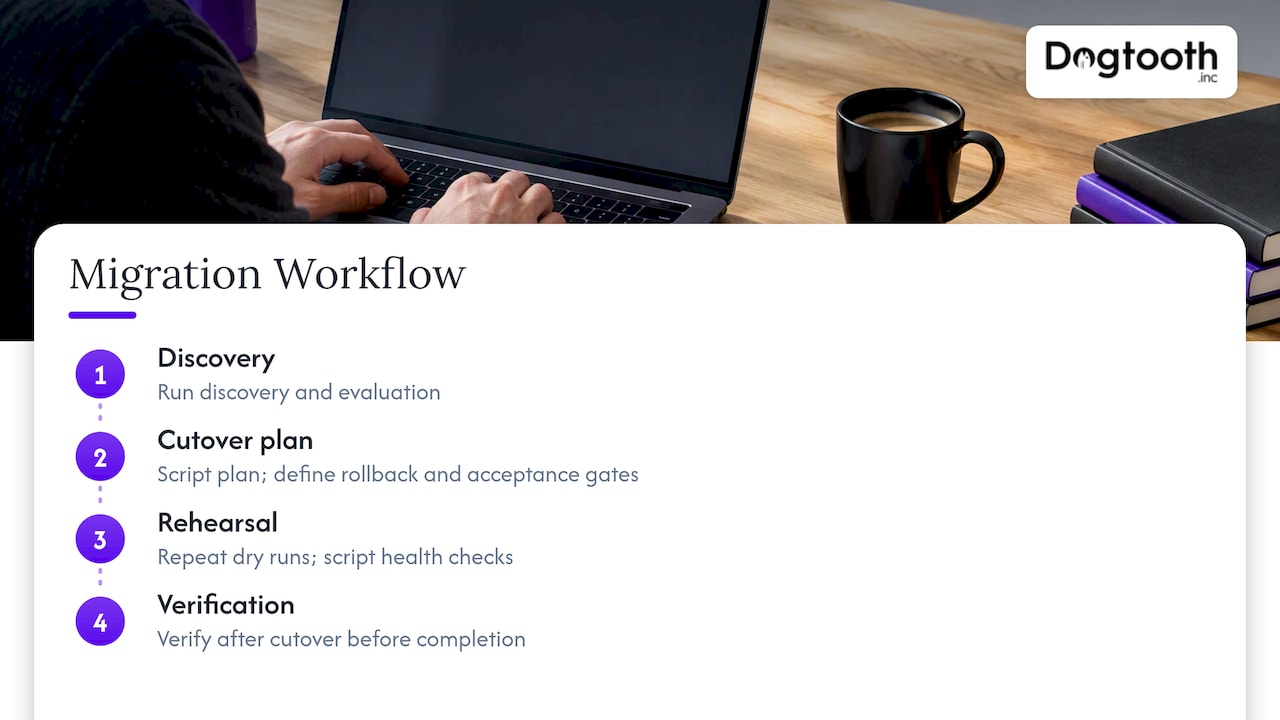
We build repeated dry runs and scripted health checks into every migration SOW, with rollback automation and acceptance gates defined before the first byte moves. When something needs recovery mid-project, our platform disaster recovery work shows the same discipline applied under real pressure. A retainer keeps us on after launch to tune and support what we built.
Author’s short view: priorities for DBAs planning ZDM
If I had to rank priorities, prechecks and dry runs come first, schema and application compatibility come second, and observability during the migration window comes third. Skipping any of the three turns a routine cutover into a long night.
— Chase Weir
Dogtooth migration services and how to request an assessment
We handle Oracle migrations and legacy platform moves as scoped projects, not open-ended retainers billed by the hour. Our Platform Builds & Migrations service covers discovery, evaluation runs, scripted cutover, and post-cutover verification, with support staying in place after launch rather than ending at go-live.
For teams planning a network-dependent cutover, a structured cutover runbook is worth reviewing alongside your database plan, since traffic routing and database switchover need to be sequenced together.
- We scope discovery and evaluation before committing to a cutover date.
- Our Shopify Plus migration work shows how an SOW-first approach prevents mid-project surprises.
- A technical retainer keeps us available for tuning and support after the migration closes.
Reach out through our main site to request a migration assessment and get a scoped plan back before you commit to a date.
FAQ
What is Oracle zero downtime migration?
Oracle Zero Downtime Migration is Oracle’s orchestration tool for moving databases to new infrastructure without taking the source offline, built on Data Guard, RMAN, Data Pump, and GoldenGate. It manages the full job through defined phases, including evaluation, data copy, change capture, and cutover.
What is zero downtime data migration and how does it work?
Zero downtime data migration keeps a source system fully available while data is copied and synchronized to a new target, then switches traffic over once the target is current. IBM’s analysis notes it relies on change data capture to keep source and target in sync, decoupling replication from the application layer, though it adds operational complexity that requires careful testing and monitoring.
Which three migration methods does Oracle zero downtime migration provide?
Oracle ZDM actually defines four primary categories: Physical Offline, Physical Online, Logical Offline, and Logical Online, according to Oracle’s documentation. Physical methods use Data Guard, RMAN, or PDB cloning, while logical methods pair Data Pump with GoldenGate for cross-platform moves.
What should I check before choosing a zero-downtime migration tool?
Confirm the tool supports your specific source and target platform combination, offers a dry-run or evaluation mode to validate configuration before touching production, and provides pause and resume controls for recovering from mid-job failures. Oracle’s own guidance recommends running evaluation mode before any production attempt regardless of which tool you choose.
Sources
- Introduction to Zero Downtime Migration — Oracle
- What is zero downtime migration? — IBM
- Blue-green deployment — Martin Fowler