Email domain warming means sending a small amount of mail from a new or dormant domain to people who want it, then raising volume in steps while mailbox providers watch how recipients react. Do it well and Gmail, Yahoo and Outlook learn that your mail is wanted. Skip it and your first big send can land in spam, with a reputation hole that takes months to climb out of.
This guide covers what to set up before day one, a ramp schedule you can adapt, who to send to first, which numbers to watch, and when to stop and hold. It also covers IP warming, since many senders need both.
TL;DR
- Authenticate first. SPF, DKIM and a published DMARC policy (even
p=none) should be verified before your first production email. - Plan on roughly 4 to 8 weeks to reach full volume, per Microsoft’s guidance. The schedule is a ceiling, not a calendar.
- Send first to people who engaged in the last 14 to 30 days. List quality drives reputation more than volume does.
- Keep spam complaints under 0.10% and never let them reach 0.30%. If signals worsen, hold or step back.
- Treat any big permanent jump in volume as a new warm-up.
Table of Contents
- What warming actually does
- When you need to warm up
- Step 1: Fix authentication before you send anything
- Step 2: Choose who gets the first emails
- Step 3: Ramp with a ceiling, not a calendar
- IP warming: the same logic, different scope
- What to watch while you warm
- When to hold, and when to roll back
- After the ramp: keep the reputation
- Our perspective: warm-up is an operations problem
- If you would rather not run this by hand
- FAQ
- Sources
What warming actually does
A mailbox provider that has never seen your domain has no history to judge it by. It sees a new stream of mail and treats it cautiously. Warming gives it a track record: small volumes, consistent patterns, low complaints, real engagement.
Two things get confused here, so separate them:
- Domain reputation attaches to the domain in your
From:address. It follows your brand. If you switch domains mid-warm-up, you start over. - IP reputation attaches to the sending IP address. It matters most when you send from a dedicated IP, and it can be rotated in a way a brand domain cannot.
So a new domain on a shared, already-trusted IP pool still needs warming. A new dedicated IP with an established domain needs warming too, though usually a lighter version. A new domain on a new IP needs the full treatment.
The point is not to hit a volume number. It is to show that recipients want your mail. Microsoft’s guidance warns that faking engagement or sending to lists without consent triggers spam protections and can damage a domain’s reputation for the long term.
When you need to warm up
Warm up when any of these is true:
- You are sending from a brand-new domain or subdomain.
- A domain has been dormant for months and is being revived.
- You are moving to a new email service provider or a new dedicated IP.
- You are about to send far more than your normal volume, for example for a seasonal peak or after a lead-generation push. Practitioners treat any significant, lasting change in volume as a fresh cycle, as OneSignal’s warm-up documentation notes.
If you send a few hundred messages a week to a clean, engaged list, you will barely notice any of this. The stakes rise with volume. Google’s bulk-sender rules start at 5,000 or more messages per day to Gmail accounts, effective February 1, 2024, and that is where authentication and complaint rates become non-negotiable.
Step 1: Fix authentication before you send anything
The most common skipped step is also the cheapest. Before your first production email:
- SPF lists which servers may send for your domain.
- DKIM signs your messages so receivers can verify they were not altered.
- DMARC tells receivers what to do when SPF or DKIM checks fail, and gives you reports.
Google’s sender guidelines require SPF, DKIM and DMARC for bulk senders and SPF or DKIM for all senders. Microsoft’s warm-up guidance adds a practical point: have a DMARC policy verified before your first production send, and p=none is fine to start because it lets you monitor without risking rejection. Yahoo also urges every sender to publish a DMARC policy for each sending domain.
If custom-domain sending is new to you, this walkthrough of the DNS records behind custom domain sending explains what each record does and where admins usually trip.
A few setup habits that save pain later:
- Send marketing mail from a dedicated subdomain (for example
mail.yourbrand.com), so a problem there does not touch your corporate mailbox. - Make sure the
From:domain aligns with the domain that passes SPF and DKIM. - Add Google Postmaster Tools for your sending domain before day one so you have a baseline.
- Include a working one-click unsubscribe and honor opt-outs quickly.
Step 2: Choose who gets the first emails
This is where most warm-ups are won or lost. Mailbox providers care about how recipients react, so your first sends should go to the people most likely to react well.
Start with recipients who opened or clicked within the last 14 to 30 days. Microsoft’s guidance is explicit that sending to cold or inactive addresses during warm-up is a fast way to trigger filters, and that you should widen to your full audience only once your signals stay stable over several weeks.
A sensible order of segments:
- Wave one: recent clickers and customers who purchased recently.
- Wave two: recent openers (30 to 60 days).
- Wave three: subscribers who engaged within 90 days.
- Last: the long tail of older subscribers, and only if you intend to keep them at all.
A new domain does not launder a poor list. If you move to a fresh domain but keep mailing unrequested or stale contacts, Mailgun’s deliverability team notes the new domain can be classed as low reputation almost immediately, however slowly you ramped. Clean the list before you warm. We wrote up how we approach that in our email list hygiene guide, including how to keep hard bounces under control.
Step 3: Ramp with a ceiling, not a calendar
Published schedules disagree, and that is fine. Starting points seen across providers range from a handful of emails per day to a few hundred, and recommended daily increases range from 10% to 30%. Which is right depends on your target volume, your list quality and how fast the providers respond.
The rule that holds up across guidance is simple: do not increase more than about 1.5 times the previous stage, and only when the last stage looked healthy. Customer.io’s warm-up documentation frames it the same way, as a ceiling and not a fixed timetable.
Below is an illustrative ramp for a sender whose target is 50,000 emails per day. It is our example for planning, not a provider requirement. Scale the numbers to your own target.
| Stage | Approx. timing | Daily volume | Audience |
|---|---|---|---|
| 1 | Days 1 to 3 | 200 to 500 | Last 14 days of engagers |
| 2 | Days 4 to 7 | 500 to 1,500 | Last 30 days of engagers |
| 3 | Week 2 | 1,500 to 5,000 | Engaged within 30 to 60 days |
| 4 | Week 3 | 5,000 to 12,000 | Engaged within 60 to 90 days |
| 5 | Week 4 | 12,000 to 25,000 | Broader active list |
| 6 | Weeks 5 to 6 | 25,000 to 40,000 | Full active list, new segments in small batches |
| 7 | Weeks 7 to 8 | 40,000 to 50,000 | Full target mix |
If your target is 2,000 emails per day, you can compress the whole thing into two to three weeks. If your target is high, expect to land near the 4 to 8 weeks Microsoft cites.
Rules that keep a ramp safe
- Spread sends through the day instead of one large blast. Smaller batches give you time to react.
- Keep content consistent. Send the kind of mail you will send long term, with a recognizable sender name.
- Prioritize Gmail and Microsoft separately. A clean curve at one provider says nothing about the other. Watch deferrals and bounces per provider.
- Do not stack changes. New domain, new template, new list and new platform in the same week makes any problem impossible to diagnose.
- Do not add fake engagement. Seed networks and “warm-up tools” that trade fake opens and replies can look like manipulation, and Microsoft warns against that kind of cheating. Real engagement from real subscribers is the only kind that carries over.
IP warming: the same logic, different scope
If you buy a dedicated IP, the plan is the same shape: start small, send to your best recipients, and step up gradually. The differences:
- Dedicated IPs only make sense at meaningful volume. If you send little, the IP never builds enough history, and a shared pool run by a good provider may serve you better.
- Warm the IP and the domain together, not one after the other. Mailbox providers look at both.
- If you have an old IP with a good record, moving to a new provider means re-warming on the new IP even though your domain is established. Start from your most engaged segment and keep the domain’s content pattern identical to what it was before.
For a new IP and a new domain, start in the low hundreds per day to Gmail, as one deliverability analyst’s guide to Postmaster data puts it, and raise gradually based on spam rate, delivery errors and domain reputation, not on a fixed calendar.
What to watch while you warm
Check these daily during the ramp and at least weekly afterward.
| Signal | Where to see it | Healthy | Act when |
|---|---|---|---|
| Spam complaint rate | Google Postmaster Tools; Yahoo feedback loop | Under 0.10% | Approaching 0.30% |
| Hard bounces | Your sending platform | Low and stable | Rising, or about 2% or more |
| Deferrals and throttling | SMTP logs, platform reports | Rare | Repeated 4xx responses at one provider |
| Domain reputation | Postmaster Tools | High or Medium | Drops to Low or Bad |
| Opens and clicks | Platform reports | Stable or rising | Falling as volume rises |
The thresholds come from the providers. Google tells senders to keep the spam rate below 0.10% and never reach 0.30%. Yahoo’s best practices for bulk senders set the complaint ceiling at under 0.3%. Yahoo’s feedback loop also depends on a DMARC-enrolled domain, so set that up and use the reports to remove people who complain.
Opens are a noisier metric than they used to be, since some mail apps prefetch images. Treat clicks, replies and complaints as the cleaner signals.
When to hold, and when to roll back
A schedule is not a promise. If you see any of these, stop increasing:
- Complaint rate climbing toward 0.10%
- A visible jump in bounces or deferrals
- Domain reputation slipping a tier in Postmaster Tools
- Mail landing in spam in seed or inbox tests
The response, in order:
- Hold at the current volume for a day or two and see if the signal settles.
- Step back to the previous stage if it does not.
- Narrow the audience to recent clickers only and simplify the template.
- Find the cause before resuming: a bad segment, a broken unsubscribe, a misaligned DKIM record, a subject line that misled.
Pausing is not failure. As Customer.io’s documentation puts it, a careful pause signals a responsible sender, while pushing through a bad signal can hurt a domain for months.
After the ramp: keep the reputation
Warming ends, but reputation maintenance does not.
- Keep sending on a regular cadence. Long gaps make a domain look dormant again.
- Remove hard bounces immediately and suppress repeat non-openers on a schedule.
- Re-warm in steps for planned spikes such as Black Friday. Raise volume over a week or two, not overnight.
- Keep SPF, DKIM and DMARC records in sync whenever you add a new tool that sends on your behalf.
- Review DMARC reports monthly. Once you trust them, tighten the policy from
p=nonetoward quarantine or reject.
Our perspective: warm-up is an operations problem
Most warm-up advice treats it as a calendar. In our experience it behaves more like a feedback loop, and the teams that struggle are the ones that cannot see the loop.
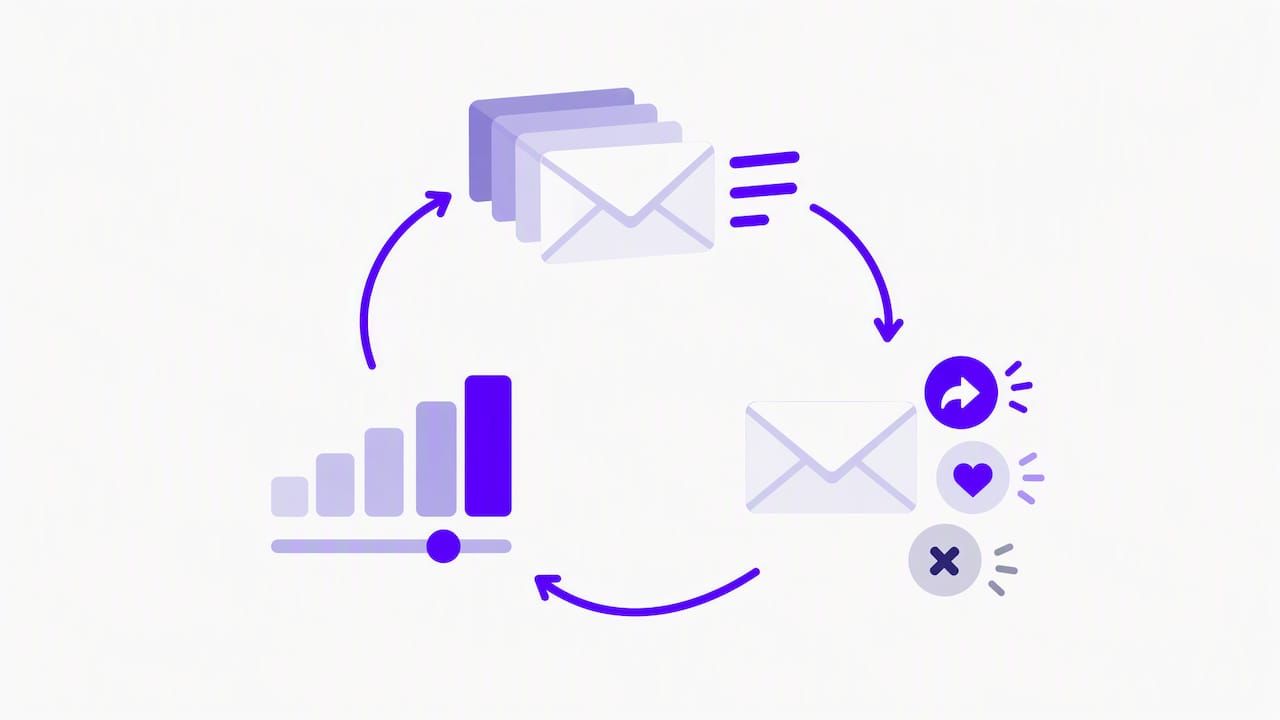
We run our own email operation through an in-house AI campaign manager. It drafts on-brand emails, runs compliance checks, tests inbox delivery and schedules sends on a single approval. That setup taught us what matters in a ramp: the decision to send the next batch should depend on yesterday’s results, and someone has to be accountable for checking them. A human with a spreadsheet can do it, but only if they actually look every day.
Three things we would tell any high-volume sender:
- List quality beats clever schedules. A conservative ramp to a stale list still fails. An aggressive-looking ramp to a clean, engaged list often works. Fix the list first.
- Automate the checks, keep the judgment. Authentication tests, bounce monitoring and inbox placement tests are worth automating. Whether to hold or advance is a call for someone who understands the business.
- Plan migrations as warm-ups. When a brand changes platforms, the sending reputation is the asset most at risk. Our Keap to Maropost migration case study shows how we think about moving email operations, and our pet niche email list project shows what building a list as an asset looks like.
— Chase Weir
If you would rather not run this by hand
Warm-ups fail most often at the boring parts: a DNS record that does not align, a segment that was never cleaned, a monitoring check nobody owns. At Dogtooth we build email infrastructure and deliverability systems for brands that send at real volume, and we offer MailFurnace, our deliverability software for high-volume senders. If you are planning a platform move, a new sending domain or a rebuild of your email stack, talk to us at Dogtooth and we will scope it with a senior team that stays on after launch.
FAQ
How long does it take to warm up an email domain?
Plan on 4 to 8 weeks to reach full volume, according to Microsoft’s warm-up guidance. Low-volume senders can finish sooner, and senders with high targets or weak lists may take longer. Let your metrics, not the calendar, decide when to advance.
How many emails should I send on day one?
There is no single number. Published starting points range from a few emails to a few hundred, depending on your target volume and provider. A common approach is a few hundred at most to your most recently engaged recipients, then raising by no more than about 1.5 times per stage while complaints and bounces stay low.
Do I need to warm up if I use a shared IP?
Yes, for the domain. The domain in your From: address carries its own reputation, whatever IP sends the mail. A shared pool run well can spare you the IP warm-up, but a new domain still needs a gradual ramp to engaged recipients.
Can warm-up tools replace a real warm-up?
We do not recommend relying on them. Tools that trade automated opens and replies create engagement that does not reflect real subscribers, and Microsoft’s guidance warns that faking interaction can cause long-term reputation damage. Warm up with real, consented recipients who want your mail.
Is warming a one-time job?
No. Treat any significant, lasting increase in volume as a new warm-up cycle, and keep sending regularly so the domain does not go dormant. Ongoing monitoring of complaint rate and domain reputation matters more than the first eight weeks.
Sources
- Warm-up process for marketing senders, Microsoft Learn
- Email sender guidelines, Google Workspace Admin Help
- Email sender guidelines, Gmail Help
- Sender Best Practices, Yahoo Sender Hub
- Email warm-up, OneSignal documentation
- Domain warm-up and reputation, Mailgun
- Google Postmaster Tools domain reputation guide, Suped