A database migration strategy is the decision about how data will move from one system to another, and how you will prove it arrived intact, before you touch a single table. The right one depends on how much downtime your business can absorb, how tangled your application code is around the old schema, and whether you can reverse course after cutover. This guide walks through the approaches, a phased plan with go/no-go gates, a working checklist, and the risks that most often sink these projects.
TL;DR
- Pick the approach first (rehost, replatform, refactor and so on), then the cutover pattern (big bang, trickle, or near-zero downtime). Treat them as two separate decisions.
- Zero downtime is not literally achievable, but continuous replication can shrink the outage to the cutover window alone.
- Run four phases, assess, plan, execute, validate, with a go/no-go gate between each so no single step becomes a high-stakes bet.
- Plan rollback at the application level first. Restoring from backup is a last resort, not a first-line defense.
- The application team owns the migration, not only the database team. Most expensive failures live in the seam between the two.
Table of Contents
- Start with the trigger, not the tool
- The seven migration approaches
- Big bang, trickle, or near-zero downtime
- Four phases with go/no-go gates
- A data migration checklist you can use this week
- Schema changes: expand, then contract
- Rollback is not the same as restore
- The application team owns the migration
- The risks that sink database migrations
- Our perspective: ship in slices, prove it, stay after launch
- When to bring in a team
- FAQ
- Sources
Start with the trigger, not the tool
Before comparing technologies, write down why you are migrating. Common triggers: a vendor license you want out of, a server end-of-life date, a platform that cannot handle your traffic, a move to the cloud, or a reporting layer nobody trusts anymore. AWS’s data migration guidance for smaller businesses starts the same way: identify the trigger and the business objective, build a simple ROI model for stakeholder buy-in, and define the strategy separately from the tactical plan.
That last point matters. A strategy answers “what are we doing and why this path.” A tactical plan answers “who runs which script on which night.” Teams that blur the two end up debating tooling before they have agreed on what success looks like.
Write three sentences before anything else:
- What is moving (which databases, how much data, which applications read and write it).
- What must be true at the end (performance, cost, reporting accuracy, compliance).
- What you cannot afford to lose or interrupt (orders, bookings, payments, logins).
Those three sentences drive every later choice.
The seven migration approaches
The most common framework is the 7 Rs from AWS Prescriptive Guidance. It was written for moving workloads to the cloud, but it is a useful vocabulary for any database move because it forces you to say how much you are willing to change.
| Approach | What it means | When it fits |
|---|---|---|
| Rehost | Lift and shift, same database on new infrastructure | Deadline-driven moves, such as a data center exit |
| Relocate | Move at the hypervisor level with no rebuild | Virtualized estates that need to move as-is |
| Replatform | Lift and reshape, such as moving to a managed version of the same engine | You want operational relief without rewriting the app |
| Repurchase | Move to a SaaS product | The database supports a commodity function |
| Refactor | Re-architect for cloud-native | The current design is the bottleneck |
| Retire | Decommission | Nobody uses it, or something else replaced it |
| Retain | Keep as it is | Risk or cost of moving outweighs the benefit today |
Two of these get overlooked. Retire and Retain are legitimate strategies. In any estate of more than a handful of databases, a surprising number turn out to be unused or not worth the risk right now. Deciding that early shrinks the project before it starts.
The AWS relational database guidance also notes that some teams lift and shift the database first and begin modernizing the application once they are settled in the new environment. That staging is often wiser than changing the engine, the schema and the application in one weekend.
If you are moving between engines, say from a proprietary database to an open-source one, the work shifts toward schema conversion, stored procedure rewrites and data type mapping. We cover that case in our Oracle to Postgres migration guide.
Big bang, trickle, or near-zero downtime
Once you know the approach, choose how the cutover happens.
Big bang. You stop writes, copy everything, verify, and switch. It is simple to reason about and has a hard outage window. It suits smaller databases, internal tools, or businesses with a natural quiet period, such as a seasonal brand outside its peak.
Trickle (phased). You move data in slices, by tenant, by region, by table group, or by date range, and run old and new side by side for a while. It lowers the blast radius of any one step but demands that your application can read from two places or that you can route traffic cleanly.
Near-zero downtime. You keep the target continuously in sync with the source and cut traffic over once they match. In the AWS guidance, this is the flash-cut pattern: continuous replication (change data capture) from source to target until they are in sync, so downtime is limited to the cutover window.
A note on language: strictly zero downtime is not possible. There is always some moment where connections drop, caches go stale or a write lands on the wrong side. The honest goal is to minimize and rehearse that moment, and to make it short enough that customers do not notice. Active/active configurations and incremental traffic shifts push it lower still, at the cost of much more engineering.
How to choose:
- Downtime tolerance of hours, data under a few hundred gigabytes: big bang is usually the cheapest and safest.
- Downtime tolerance of minutes, revenue tied to uptime: continuous replication with a rehearsed cutover.
- Many tenants or brands on one database: trickle, one tenant at a time, starting with the least critical.
- Unclear application behavior: trickle or parallel run, because it exposes surprises on a small slice first.
For a deeper look at cutover mechanics on enterprise databases, see our write-up on zero downtime migration and DBA cutover checks.
Four phases with go/no-go gates
The structure that holds up across sources is a phased one: assess, plan, execute, validate. The part that makes it work is a go/no-go gate between phases. Without gates, a migration quietly becomes one enormous event where everything has to go right on the same night.
Phase 1: Assess
Profile the data. Count rows, find orphaned records, duplicate keys, malformed dates, and columns that mean something different from what their names say. Inventory every consumer of the database: the main application, yes, but also cron jobs, reporting tools, spreadsheets with live connections, vendor integrations and that one script a former employee wrote.
Gate: you can list every system that reads or writes the database, and you know the size and quality of what you are moving.
Phase 2: Plan
Choose the approach and cutover pattern. Write the rollback plan now, not the night before. Define success metrics, including how you will compare row counts, checksums and business totals between old and new. Assign owners by name.
Gate: rollback is documented, a dry-run date is set, and the people who can approve a cutover have signed the criteria.
Phase 3: Execute
Run the transfer in batches where possible, automated and repeatable. Do at least one full rehearsal on production-sized data. The first rehearsal almost always finds something: a timeout, a character encoding issue, a constraint that fails on historical records.
Gate: the rehearsal finished within the planned window and the failure list is empty or explained.
Phase 4: Validate
Reconcile. Compare counts, sums and samples, then compare outputs that matter to the business, such as revenue by day or active customers by region. Only then switch live traffic, and keep the old system available, read-only, for a defined period.
Gate: reconciliation reports match within agreed tolerances, and smoke tests on the live application pass.
A data migration checklist you can use this week
This condenses the phases into actions. Adapt it to your stack.
Before anything moves
- Record the business trigger and the target date, and who can move that date.
- Inventory every database, schema, job and integration touching the data.
- Profile data quality and decide what gets cleaned, what gets archived, and what gets left behind.
- Classify sensitive data (customer records, payment-related fields, health information) and confirm how it is protected in transit and at rest in the new environment.
- Take full backups and test that you can restore one.
- Freeze the current state: document the schema, configuration, and the reports people rely on.
While building the plan
- Choose approach (7 Rs) and cutover pattern.
- Map source fields to target fields, including identity keys.
- Write the application-level rollback plan and the data-level recovery plan separately.
- Schedule communications to staff and customers.
- Define the cutover runbook minute by minute, with named owners.
During execution
- Rehearse the full migration at production scale at least once.
- Monitor replication lag, error rates and query latency.
- Run the cutover with a go/no-go check at the final step.
After cutover
- Reconcile data and reports.
- Watch connection pools, slow queries and error logs closely for the first days.
- Keep the old database read-only until you have passed a full business cycle, such as a month-end close.
- Decommission only when someone with authority signs off.
Schema changes: expand, then contract
Many migrations include schema changes, and this is where outages hide. Dropping a column or changing a type destructively is irreversible the moment it runs. The safer habit is the expand-contract pattern:
- Expand. Add the new structure alongside the old one.
- Run both. Let old and new code operate at the same time, with dual writes and reads from one side until the other is verified.
- Contract. Only after stability is confirmed and all data is migrated, remove the old structure.
The same source describes when to use related patterns: dual-write for a short move of writes to a new store, and change data capture replay for large datasets that converge asynchronously. Dual writes are tricky because two writes can partially fail, so decide ahead of time which side is the source of truth and how you will reconcile differences.
Rollback is not the same as restore
Teams often say “we have a rollback plan” when they mean “we have backups.” These are different tools. As Raff’s guide to zero-downtime migrations frames it, rollback returns application behavior and traffic to a previous stable path, while restore reconstructs database state from backups. Restore is typically too disruptive to be your first response during a release.
In practice that means building the rollback into the application:
- Put read-path cutovers behind feature flags so you can flip back in seconds.
- Keep dual writes running long enough that the old store stays current.
- Avoid irreversible schema operations in the critical path.
- Decide in advance what evidence triggers a rollback (error rate, latency, a failed reconciliation) so nobody is debating it at 2 a.m.
Backups still matter. They are your safety net for corruption or a mistake that application-level rollback cannot undo. Test them before cutover, not after.
The application team owns the migration
The same Raff guide makes a point worth repeating: the application team, not just the database team, owns the migration. Success depends on schema and application compatibility, connection-pool behavior and cutover timing. If the people who understand the application are not accountable, nobody is equipped to fix integration failures or run smoke tests right after cutover.
This is also where testing earns its keep. A database can migrate perfectly and still break checkout, because a query returns rows in a different order or a timezone setting changed. Involve the business users who know what “correct” looks like. Give them scripted scenarios and a simple way to report problems with screenshots and notes; guidance on user acceptance test case writing is a good starting point for turning those scenarios into something repeatable.
A simple pattern works well: run acceptance testing against the new database in a staging environment with a recent copy of production data, fix what it finds, then repeat the tests as the first smoke test after live cutover.
The risks that sink database migrations
Industry guidance from Gartner says to treat database migrations as high-risk transformations rather than routine IT projects, and notes that many overrun time and cost or fail because complexity was underestimated and execution was rushed. In our experience the specifics look like this:
Hidden business logic. Stored procedures, triggers, scheduled jobs and hardcoded values in legacy scripts do work nobody documented. They surface only when something stops happening, such as a nightly discount recalculation. Search for them during assessment, not after.
Schema and type incompatibilities. Different engines handle nulls, dates, character sets, and numeric precision differently. A rounding change on currency fields is the kind of bug that passes row-count checks and fails the finance team.
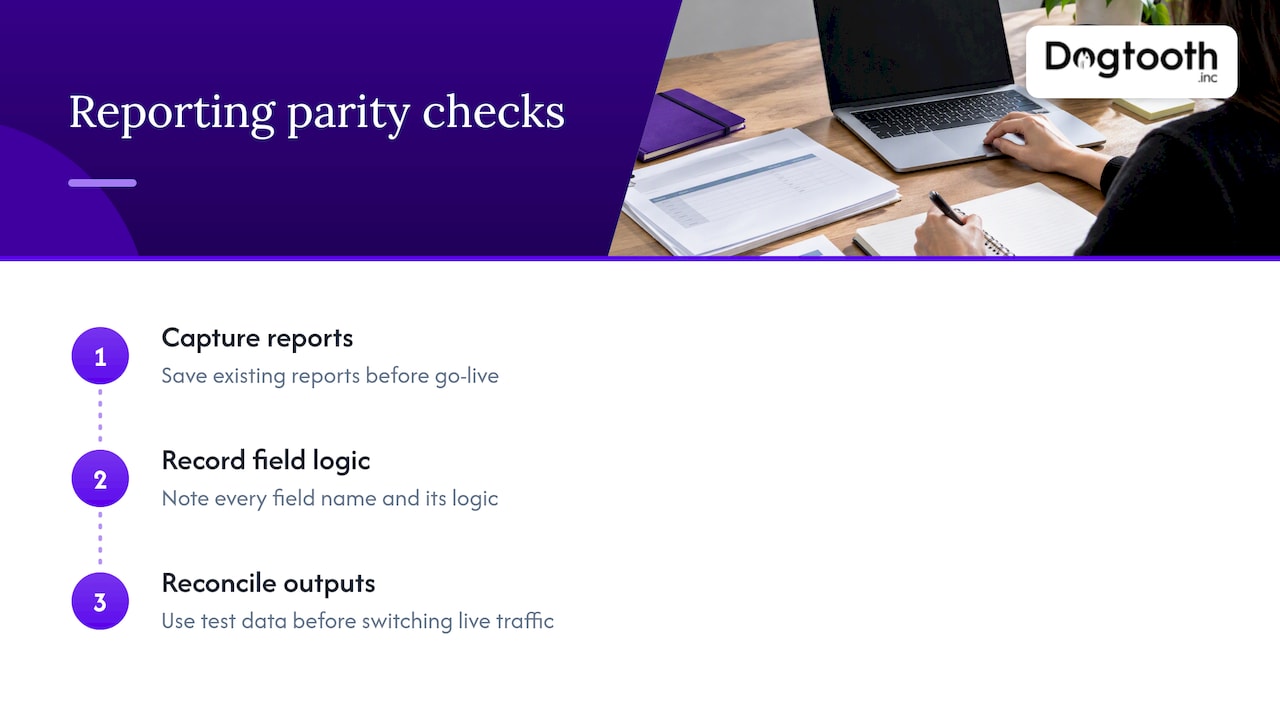
Reporting that no longer matches. This is among the most common reasons businesses lose trust after a move. The practical fix, described in Shopify’s migration guidance for an email platform switch, is to define reporting parity before go-live: capture existing reports, note every field name and its logic, then reconcile against the new system’s output using test data before switching live traffic. The example there is a marketing platform, but the principle holds for any database feeding dashboards.
Cutover timing and connection behavior. Connection pools that hold stale connections, DNS caches that point to the old host, and long-running transactions at the moment of switch all cause strange partial failures.
No clear owner. Covered above. If the answer to “who decides to roll back” is “the team,” the answer is nobody.
Scope creep disguised as improvement. Cleaning every historical record and redesigning the schema during the move multiplies risk. Migrate first, improve second, unless a change is required for the move itself.
Our perspective: ship in slices, prove it, stay after launch
We build platforms and run legacy migrations for brands doing real volume, and the pattern we trust is the unglamorous one: small steps with evidence between them. A big-bang weekend feels efficient on a project plan. It is rarely efficient in practice, because the whole project’s risk lands on one night.
We lean toward phased delivery for that reason, the same logic we set out in our piece on legacy system migration in five phases. When we moved a Drupal 6 research platform to a modern stack, the case study shows the kind of work involved when old systems carry years of accumulated behavior.
Three convictions shape how we work:
- Reconciliation is a deliverable. If you cannot show the numbers match, the migration is not done, however clean the cutover looked.
- The people who build the app run the cutover. A handoff between a database group and an application group is where details get lost.
- Launch is the midpoint. The first weeks after cutover are when real traffic finds the gaps, so a team that stays on after launch is part of the strategy, not an extra.
We also run our own operation with AI in the loop, and the same discipline applies: drafting and checking are automated, but a human approves before anything irreversible happens. A migration deserves that same single deliberate approval at the point of no return.
— Chase Weir
When to bring in a team
If your database sits behind revenue, such as an e-commerce store, a booking system or a practitioner portal, and the people who built it are gone or stretched, an outside senior team can carry the assessment, rehearsal and cutover while your staff keep the business running. Dogtooth Inc. handles platform builds and migrations along with the integrations and e-commerce engineering that usually travel with them, and we stay on after launch to support the new system. Bring us the three sentences from the start of this article and we can talk through which approach fits.
FAQ
What are the 7 migration strategies?
They are Rehost, Relocate, Replatform, Repurchase, Refactor, Retire and Retain, known as the 7 Rs in AWS Prescriptive Guidance. They run from moving as-is to rebuilding for the cloud, and include the options to decommission a system or leave it alone. Most real projects mix several across different databases.
What is the best way to migrate a database?
There is no single best way. For smaller databases with a quiet window, a planned big bang with a rehearsal is often simplest. For systems tied to revenue, continuous replication with a short, rehearsed cutover limits the outage, and a rollback you can trigger at the application level reduces the risk further.
Can a database migration really have zero downtime?
Not literally. Techniques such as continuous replication and incremental traffic shifts keep source and target in sync so the interruption is confined to the cutover window. Rehearse that window, and treat “near-zero” as the honest target.
What are the biggest database migration risks?
Underestimated complexity is the main one, often from hidden business logic in old scripts and schema incompatibilities. Reports that stop matching, unclear ownership and irreversible schema changes made too early come next. Phased gates, reconciliation and application-first rollback address most of them.
How long should we keep the old database after cutover?
Keep it read-only until the new system has passed a full business cycle, such as a month-end close, and someone accountable signs off. The right period depends on how often your data is used in ways that only show up periodically.
Sources
- About the migration strategies, AWS Prescriptive Guidance
- Migration strategy for relational databases, AWS Prescriptive Guidance
- Data migration checklist for SMBs, AWS
- Zero-Downtime Database Migration: Strategy & Checklist, Raff
- zero-downtime-migrations, GitHub
- How to Reduce Risk in High-Stakes Database Migrations, Gartner
- Simon Data ESP Migration Guide for Shopify Brands, Shopify
- UAT Test Case Writing Best Practices in 2026