Event-driven architecture (EDA) is a way of building software so that parts of a system talk to each other by announcing that something happened, instead of calling each other directly. For a business running orders, bookings, payments and email on several systems at once, it is often the difference between a platform that breaks when one piece slows down and one that keeps working. At Dogtooth Inc. we build AI agents, custom platforms and integrations on this pattern, for example an AI agent that books sessions, charges cards and sends invites for three brands at once.
TL;DR
- An event is a record that something happened (an order placed, a payment captured). Producers publish events, a broker routes them, and consumers react.
- EDA decouples systems, so each can scale, fail and change on its own schedule.
- Queues are one building block of EDA: they hold messages until a single consumer processes them, which smooths traffic spikes.
- The costs are real: eventual consistency, duplicate messages, ordering and harder debugging. Design for them from day one.
- It fits multi-system platforms, integrations and automation. Simple request-and-response apps rarely need it.
Table of Contents
- What event-driven architecture actually is
- How it works: producers, brokers, consumers
- Queue-based architecture and how it fits
- Where it pays off for business software
- When not to use it
- Designing for failure, duplicates and order
- What this looks like in a real build
- Building it with Dogtooth
- Our perspective
- FAQ
- Sources
What event-driven architecture actually is
IBM describes EDA as a design model built around publishing, capturing, processing and storing events. An event is a data record of something that happened, such as a customer adding an item to a cart or requesting a password reset. Typically it carries a key, a value, a timestamp and optional metadata.
AWS makes a useful distinction: an event can carry the state itself (item purchased, price, delivery address) or simply be an identifier, like a notice that an order shipped. Google Cloud adds that an event captures an immutable fact: it cannot be changed or deleted, and it can be consumed as many times as needed.
That immutability is what makes the pattern practical. Nobody tells a downstream system what to do. The system observes what happened and decides for itself.
How it works: producers, brokers, consumers
Three roles carry the whole pattern, according to IBM’s overview:
- Producers (a storefront, an app, a sensor, a microservice) generate events and send them without processing them.
- Brokers act as the middleware. They receive events, keep them in order, make them available and route them to the right consumers.
- Consumers subscribe and react: updating a database, sending a confirmation, kicking off a fulfillment step.
Microsoft’s Azure Architecture Center describes the same split as producers, consumers and event channels, with events delivered in near real time.
Two delivery models
The same Microsoft guide separates two models. In publish-subscribe, events go to each current subscriber and are not kept in a durable log, so a new subscriber never sees past events. In event streaming, events are written to a durable log, ordered within a partition, and clients can read from any point and replay history.
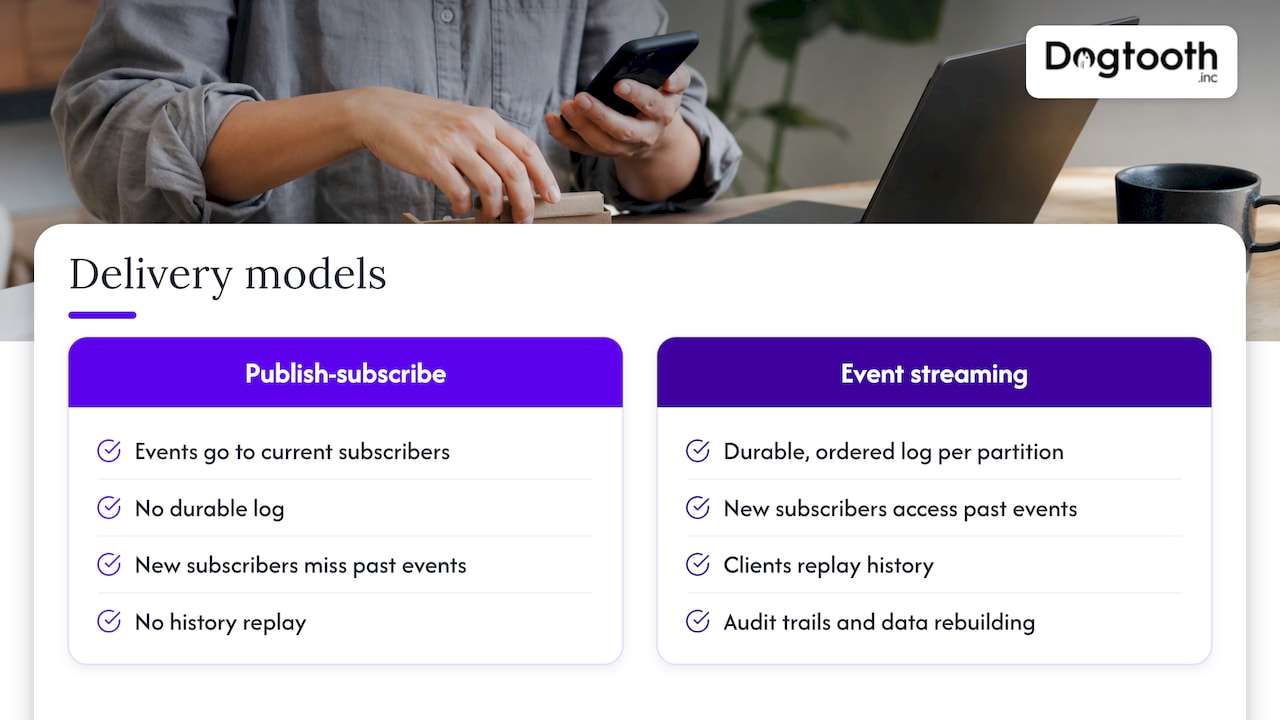
Pick pub-sub for notifications and fan-out. Pick streaming when you need replay, audit trails or rebuilding downstream data.
Two topologies
In a broker topology, components broadcast events with no central coordinator. It is highly decoupled but harder to keep consistent across multi-step transactions. In a mediator topology, a mediator manages flow, state and error handling. That gives more control and consistency at the price of more coupling and a possible bottleneck. Both are described in the Azure guide.
A practical rule: simple, independent reactions suit a broker topology. Workflows with ordered steps, such as order, payment, fulfillment, suit a mediator.
Queue-based architecture and how it fits
People searching for queue-based architecture are usually looking at one piece of this picture. AWS explains that point-to-point messaging sends messages typically intended for a single consumer, often through a queue. The queue buffers messages when the consumer is unavailable and retains them until they are processed.
Microsoft’s .NET guidance adds that a queue guarantees one consumer instance processes each message, and either side can scale out without affecting the other.
The difference from a full event broker is who listens:
| Queue (point to point) | Publish-subscribe / streaming | |
|---|---|---|
| Who receives it | One consumer | Every subscriber |
| Typical use | Work to be done once: charge a card, send an email | Facts many systems care about: order placed |
| Message life | Deleted after processing | Not stored (pub-sub) or kept in a log (streaming) |
| Main benefit | Load leveling, reliability | Decoupling, fan-out, replay |
Microsoft’s integration guidance lists queue-based load leveling for workload bursts, reliable tracking of long-running workflows and queuing messages while a back-end system is down. Most real platforms combine both: an event announces that an order was placed, and each interested service puts the resulting work on its own queue.
Where it pays off for business software
Microsoft says to use EDA when several subsystems must process the same events, when real-time processing matters, when data volume and velocity are high, or when producers and consumers must scale and fail independently.
In business terms, that looks like:
- E-commerce. One order event triggers inventory, payment, fulfillment, email and analytics, each handled by its own consumer. A slow email provider no longer slows checkout. Our dual-platform Shopify and WooCommerce build is the kind of environment where this separation matters.
- Bookings and payments. Booking events can trigger card charges, calendar invites and reporting without a human relaying each step.
- AI agents. An agent that drafts, checks and reports works best when it reacts to events (a form submitted, a subscriber lapsing) rather than being polled.
- Tracking and attribution. Purchases, clicks and signups become a stream you can enrich and send to several destinations without changing the storefront.
- Email infrastructure. Send, bounce, complaint and unsubscribe signals are events. Treating them that way lets suppression and reputation checks happen immediately. See our guide to transactional email deliverability.
- Legacy migrations. Events let a new system run beside an old one while you move functions over piece by piece, which fits a monolith to microservices migration.
How it differs from microservices
Microservices split an application into isolated services connected by APIs. EDA goes further on decoupling: according to Ably’s analysis, systems can capture events without requiring every downstream component to accept them synchronously, which removes the need for all services to be available at the same moment. The two work well together, and AWS notes EDA is common in modern microservices applications.
When not to use it
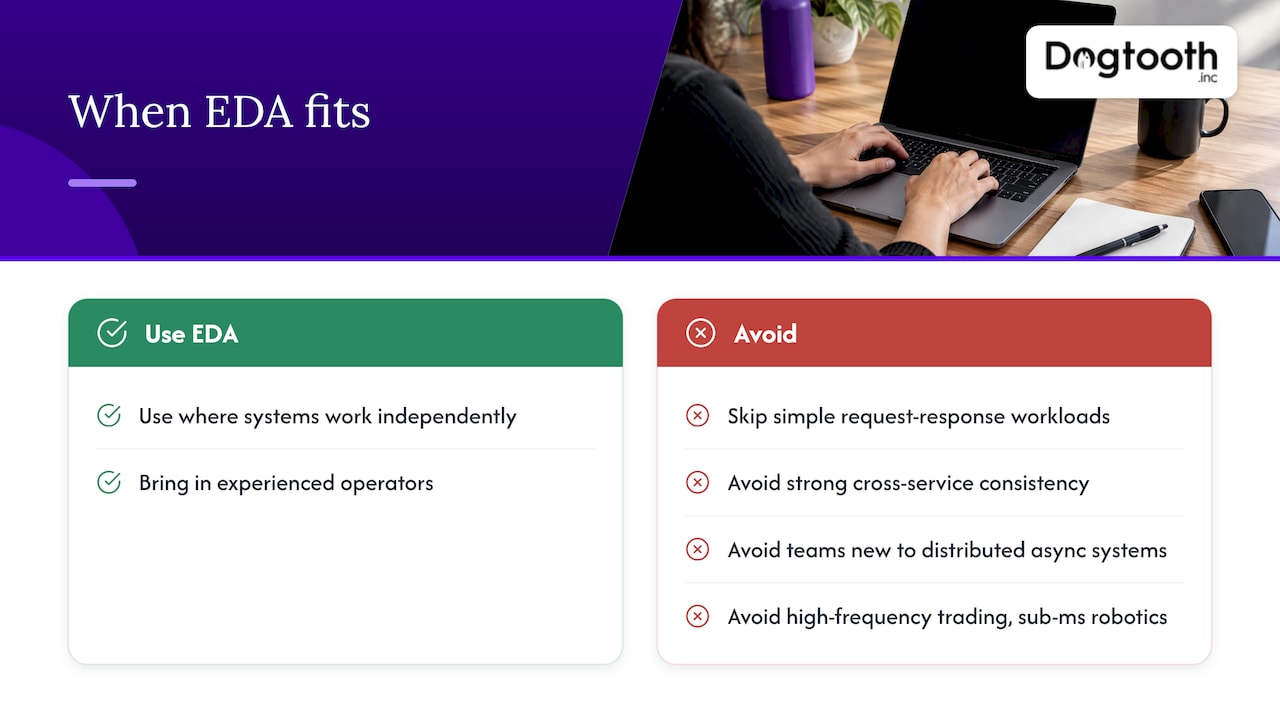
Microsoft flags three cases where EDA may not fit: simple request-response workloads, business transactions that need strong consistency across services, and teams without experience running distributed asynchronous systems. AWS also names high-frequency trading and sub-millisecond robotics as poor candidates.
The takeaway is to apply it where systems must work independently, and to bring in people who have operated it before. A small brochure site does not need a broker. A platform joining a storefront, payments, CRM and email does.
Designing for failure, duplicates and order
This is where event-driven projects succeed or stall. The AWS guide names the core challenges: eventual consistency, variable latency and harder testing and debugging, and it recommends the test pyramid and contract testing. Here is a working checklist.
1. Assume messages arrive more than once
At-least-once delivery means a message is delivered one or more times: the broker retries until the consumer acknowledges. The book Designing Reliable Event-Driven Systems is blunt about the stakes: a second payment capture is a financial incident, so duplicates must be made harmless through idempotency. Practical techniques include storing processed message IDs, writing operations that give the same result when repeated (“set balance to $100” instead of “add $10”), and using version numbers to reject stale updates.
2. Preserve order only where it matters
You rarely need global ordering. Partition by an entity key such as order ID or account ID so events for one order stay in sequence, and use version checks to spot gaps. The Software Patterns Lexicon also notes the fix is sometimes richer events or querying the source of truth, not elaborate reordering code.
3. Plan for messages that never succeed
A dead letter queue holds messages that keep failing, for example malformed payloads or an unavailable downstream service. Monitor its depth, keep the original metadata, and build tooling to reprocess what lands there.
4. Set a delay limit and alert on it
Reliability, in the same book’s framing, includes bounded delay: someone chooses a limit, and breaching it produces an alert. Track broker lag, queue depth, retries, end-to-end latency and duplicate counts, and tie events together with correlation IDs so one order can be traced across services.
5. Protect the email path
Email is the most failure-prone consumer on many platforms. Authentication, reputation and retry behavior all affect whether an event-triggered message reaches an inbox. Our email deliverability best practices cover the sender side, and sender authentication and reputation monitoring matter just as much when event flows fan out into high volumes of messages.
What this looks like in a real build
A sensible rollout goes in stages:
- Map the business events that matter (order placed, payment captured, subscriber lapsed).
- Define each event’s format, because components only need to agree on that, as AWS notes: changes in one component do not affect others while the format stays stable.
- Choose queue, pub-sub or streaming per flow.
- Build idempotent consumers and dead letter handling before launch.
- Add monitoring and alerts, then move one workflow at a time.
Shipping in small weekly increments suits this approach, since each event flow can go live and be observed on its own.
Building it with Dogtooth
Dogtooth Inc. is a senior-led team that builds custom platforms, e-commerce, AI agents and integrations, and stays on after launch. If your orders, bookings, email and reporting sit on systems that do not talk cleanly, talk to us about a platform build or migration.
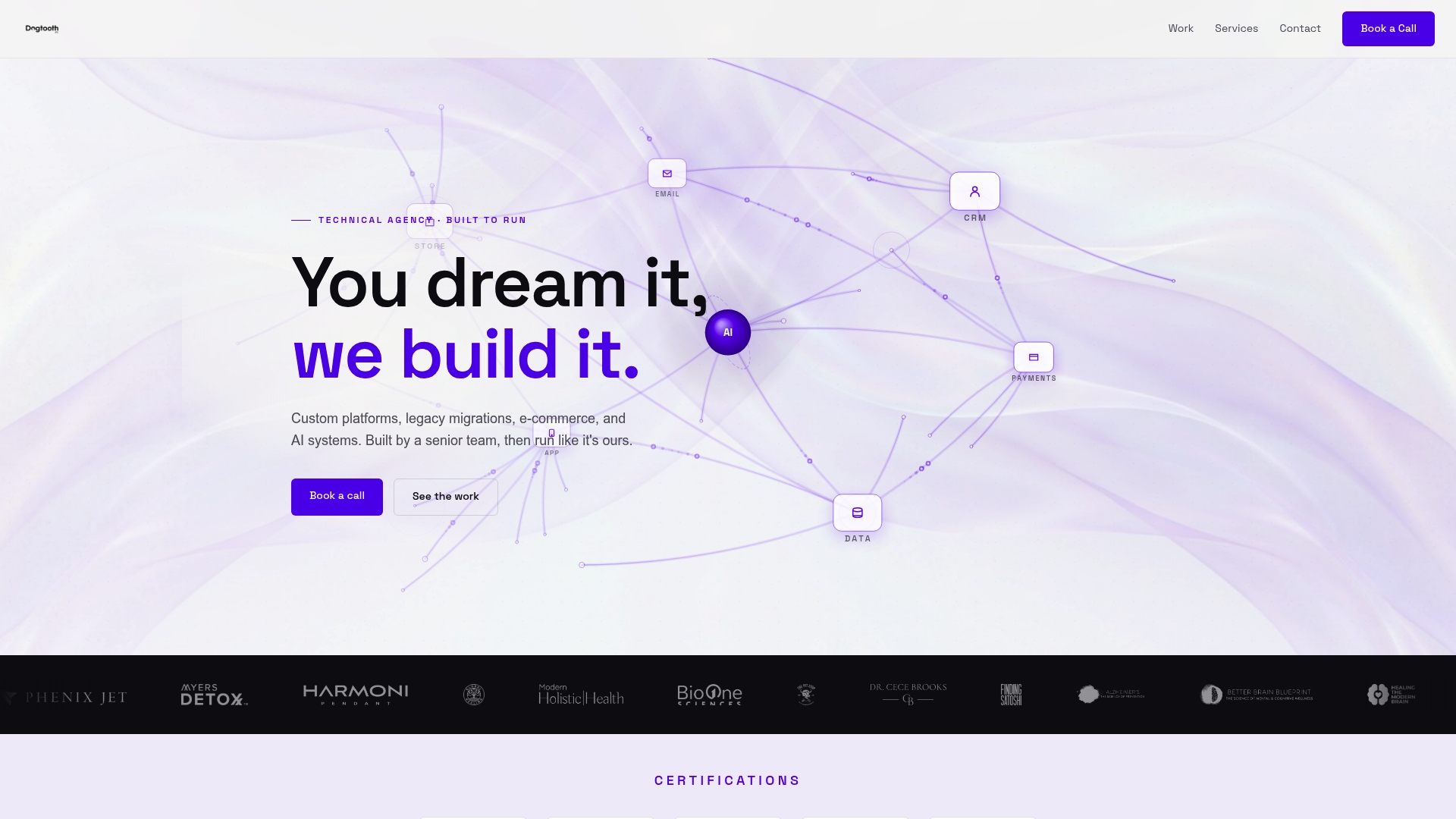
We run our own operation the same way: an in-house AI campaign manager drafts emails, runs compliance checks, tests inbox delivery and schedules sends on a single approval.
Our perspective
Most teams we meet do not have an architecture problem. They have a hand-off problem: someone copies an order into the CRM, someone else triggers the email, and nothing reports when a step fails.
Events fix that because they describe what happened and let each system respond. That is also why AI agents fit so naturally: an agent that drafts, checks, books and reports is just another consumer reacting to business events inside a real workflow.
Our advice is to start with the two or three events that carry revenue, make every consumer safe to run twice, and ship them one at a time with a senior team that stays after launch. That is how we work, and how we run our own operation.
Chase Weir
FAQ
Is Kafka an event-driven architecture?
No. Kafka is a technology, a durable log-based broker often used for event streaming. Event-driven architecture is the design approach, and you can implement it with Kafka, a managed cloud event service or simple queues.
What is the difference between a queue and an event?
An event is a record that something happened. A queue is a channel that holds messages until one consumer processes them. Events are often delivered through queues, but a queue message can also be a command to do work.
Does event-driven architecture replace microservices?
No, they complement each other. Microservices divide an application into services, and events are one way those services communicate without waiting on each other.
Do I need it for a small e-commerce store?
Usually not at the start. It becomes valuable when checkout, inventory, email, attribution and fulfillment need to scale and fail independently, or when you are migrating off a legacy system step by step.
Sources
- What Is Event-Driven Architecture? | IBM
- Event-Driven Architecture Style | Azure Architecture Center
- Event-Driven Architecture | AWS
- Event-driven architectures | Google Cloud Eventarc
- Building event-driven architectures with AWS
- Service-to-service communication | Microsoft Learn
- Use a Message Broker and Events to Integrate Enterprise Systems
- 4 event-driven architecture use cases | Ably
- Designing Reliable Event-Driven Systems
- Event-Driven Architecture in Python: Delivery and Ordering