Transactional email deliverability comes down to four things: authenticating your domain correctly, keeping transactional traffic separate from marketing, sending clean and plain messages, and watching your numbers so you catch problems before customers do. Get those right and receipts, password resets and booking confirmations arrive in the inbox within seconds. Get them wrong and your support queue fills with “I never got the email.”
This guide covers what transactional email is, why it fails, how to set up authentication, which practices protect your reputation, and how to diagnose a message that was “delivered” but never seen.
TL;DR
- Authenticate every sending domain with SPF, DKIM and DMARC, and make sure the domain in your From address aligns with them. Passing is necessary, not sufficient.
- Send transactional mail from its own subdomain so weak marketing metrics cannot drag down password resets and receipts.
- Keep messages plain: one purpose, few links, your own branded link domain, no promotional copy, no no-reply address.
- Watch bounce rates, spam complaints and real inbox placement, not just the “delivered” status your provider reports.
- When a message goes missing, test the exact message, compare headers, and check for recipient-side filters before changing anything.
Table of Contents
- What counts as a transactional email
- Why transactional emails miss the inbox
- Setting up SPF, DKIM and DMARC for transactional mail
- Separate transactional from marketing
- Content and template choices that protect placement
- Protect the sending side: list quality and signup abuse
- Metrics to watch
- How to diagnose a missing email
- Our perspective: treat email as part of the product
- Need help with your email infrastructure?
- FAQ
- Sources
What counts as a transactional email
A transactional email is a direct response to something the recipient did or something that happened to their account. A marketing email is sent at the sender’s initiative. That is how Lettr’s documentation draws the line, and it is a useful test: if the message would exist only because you decided to send a campaign, it is marketing.
Common examples:
- Order confirmations, shipping updates and receipts
- Password resets and one-time login codes
- Account verification and welcome messages triggered by signup
- Booking confirmations, calendar invites and appointment reminders
- Invoices, payment failures and subscription renewal notices
- Security alerts
In the U.S., the CAN-SPAM Act treats a message as transactional when its primary purpose is to facilitate an agreed-upon transaction or update the customer about an ongoing one, as Twilio’s overview describes it. Regulations generally treat the two types differently: marketing typically needs consent and an unsubscribe mechanism, while transactional email has more lenient requirements, per Lettr.
The legal category does not decide inbox placement, though. Mailbox providers look at what the message looks like and how recipients react to it. A receipt stuffed with product promotions can be treated as marketing by a filter, whatever you call it.
Why transactional emails miss the inbox
Transactional mail is the one stream people actively wait for, so failures are visible fast. The causes fall into a few groups.
Reputation and authentication
Mailbox providers may filter on sender reputation, authentication, spam complaints, list quality, sending volume, content, links and attachments, according to Bloomreach’s support documentation. Notice that most of that list is about you, not the recipient.
Content that looks like bulk mail
Transactional messages get filtered when they carry marketing copy, too many links, suspicious URLs, vague branding, or templates that resemble bulk mail, as Suped’s guide explains. The same source makes a point worth remembering: labeling an email transactional does not guarantee delivery. If a recipient did not request it or does not recognize the sender, they may treat it as unwanted, and their complaint counts against you.
Shared infrastructure with marketing
When transactional and marketing mail share infrastructure, they share reputation and delivery paths. Weak marketing metrics can count against transactional delivery. This is the most common self-inflicted wound we see: a promotional blast to a tired list quietly damages the domain that also sends password resets.
Temporary and recipient-side problems
Not every miss is your fault. Amazon SES notes that delays can occur when a recipient’s inbox is full or the receiving server has a temporary issue, and that it retries such deliveries (AWS Messaging blog). Corporate security gateways can also quarantine a message after the receiving server has accepted it, which means your sending logs show success while the employee sees nothing.
That last point is why “delivered” is not the same as “in the inbox.” A delivered status usually means the receiving server accepted the message. What happened next is a separate question, and it is the one customers care about.
Setting up SPF, DKIM and DMARC for transactional mail
Authentication is the foundation. Without it, nothing else you do matters much. Google’s email sender guidelines set out the current baseline for Gmail: all senders need SPF or DKIM, and bulk senders need SPF, DKIM and DMARC. Google recommends setting up all three for every domain regardless, and warns that unauthenticated messages may be marked as spam or rejected with a 5.7.26 error.
Here is what each one does and how to set it up for a transactional stream.
SPF
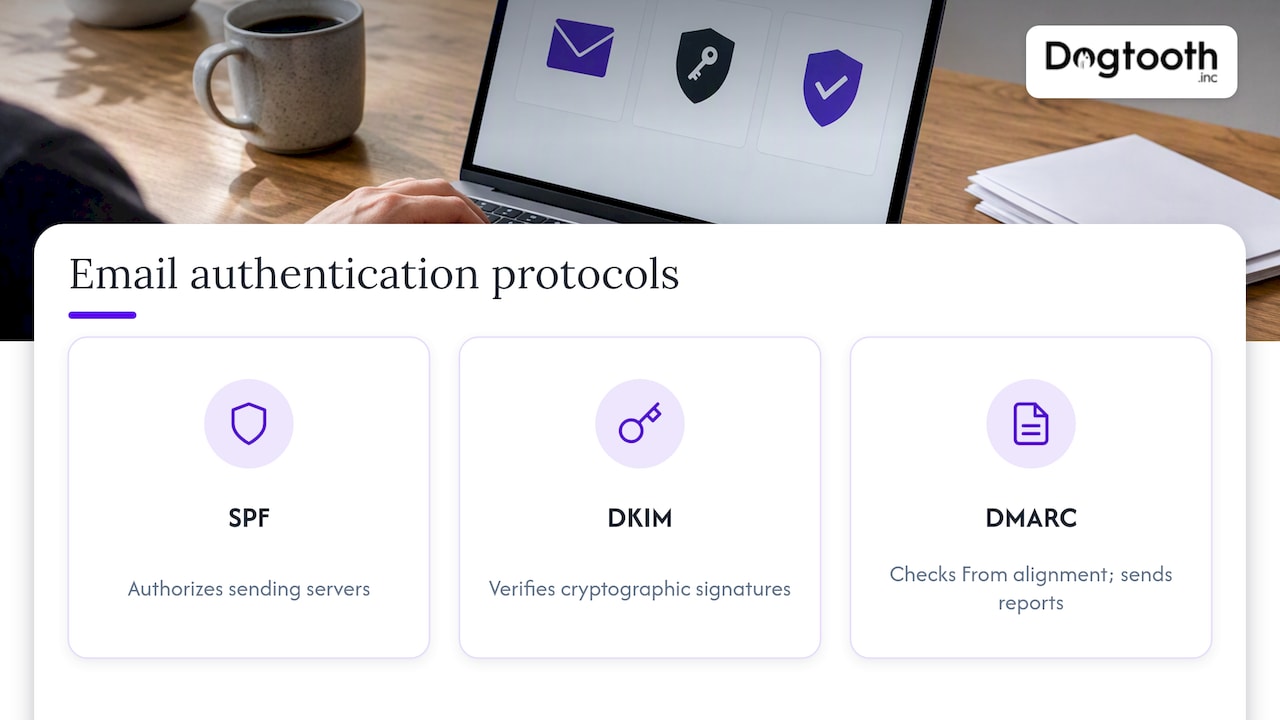
SPF is a DNS record listing the servers allowed to send mail for your domain. Google’s guidance says the record should include all email senders for your domain. For a business with several tools, that is where mistakes start: the app sends receipts, the support desk sends replies, the billing system sends invoices, and one of them is missing from the record.
Practical steps:
- Inventory every system that sends mail as your domain: your application, your email provider, your CRM, your support tool, your billing platform.
- Publish a single SPF record that includes each of them. Two SPF records on the same domain is an error, so merge rather than add.
- Re-check the record whenever you add or remove a vendor.
DKIM
DKIM attaches a cryptographic signature to each message so receivers can verify it was not altered and really came from an authorized sender. Your sending provider gives you a DNS record (usually a CNAME or TXT) to publish. Use a signature on your own domain, not the provider’s shared domain, so the reputation you build belongs to you.
DMARC
DMARC tells receivers what to do when SPF and DKIM do not align with your From address, and sends you reports. Google notes that for direct email, the From domain must align with either the SPF domain or the DKIM domain to pass DMARC alignment, and that a DMARC policy of none is acceptable for the baseline requirement.
Start at p=none so you can read the reports and find legitimate senders you forgot about. Then tighten. Our walkthrough on moving from p=none to p=reject covers that staged path.
Passing is not the finish line
Passing SPF, DKIM and DMARC confirms your domain is authenticated and aligned, but it does not guarantee inbox placement. Reputation, recipient behavior and engagement still matter, per Suped. Spamhaus puts it bluntly in its deliverability guide: there is no shortcut. Send consistently, authenticate correctly, and target engaged recipients.
Separate transactional from marketing
Use different subdomains for different kinds of mail. Amazon Pinpoint’s email best practices recommend exactly this: each subdomain develops its own reputation, which reduces the risk that damage to one stream spills into another.
A simple layout many senders use:
| Stream | Example sending domain | Why |
|---|---|---|
| Transactional | mail.yourbrand.com | Receipts, resets, confirmations; protected from campaign swings |
| Marketing | news.yourbrand.com | Newsletters and promotions; can absorb experimentation |
| Internal and person-to-person | yourbrand.com | Staff mailboxes, kept clean of automated traffic |
The subdomain names are only examples. What matters is the separation, and that each subdomain has its own SPF, DKIM and DMARC alignment.
Separating also means separating the pipes where you can: a dedicated sending path for transactional mail, so a marketing send that spikes volume does not queue behind or share an IP reputation with a password reset.
Warm a new transactional domain
A brand-new subdomain has no history, so receivers treat it cautiously. Ramp volume gradually, starting with your most engaged recipients, rather than switching all traffic on at once. Transactional streams are easier to warm than marketing ones because the recipients expect the message, but a sudden jump from zero to tens of thousands a day still looks odd. We lay out a week-by-week approach in our 8-week domain warming plan.
Content and template choices that protect placement
Transactional templates should look like what they are. A few rules that follow from the evidence above:
- Skip the no-reply address. Amazon Pinpoint advises against it because it discourages customer feedback and signals that you do not want contact. A real, monitored reply-to address also gives recipients a way to respond instead of hitting the spam button.
- Cut tracking and images. Resend’s guidance on messages that say delivered but are not received recommends turning off open and click tracking, using fewer images, and writing succinct, clear copy.
- Brand your links. Use links on your own domain rather than a generic tracking domain shared with other senders. That advice appears in SendGrid’s support guidance on delivered-but-missing mail.
- Write a clear subject line and preheader. “Your order #4821 has shipped” beats “Great news!” every time.
- One message, one job. A receipt should be a receipt. If you want to cross-sell, do it in a separate marketing message to people who opted in.
- Avoid shortened or odd URLs. Suspicious links are one of the triggers listed in the Suped guide cited earlier.
If your team builds templates across several tools, a can help you audit which automated messages exist, who owns them and which ones quietly carry promotional content that should be moved out of the transactional stream.
Protect the sending side: list quality and signup abuse
Transactional mail is triggered by user actions, which means anyone can trigger it. A signup form with no protection becomes a way for bots to make you email thousands of invalid or hostile addresses, which produces bounces and spam-trap hits under your name.
Spamhaus advises providers to vet potential customers and, when needed, restrict questionable signups from sending large volumes until they validate and authenticate their domain (Spamhaus on avoiding blocklistings). The same logic applies to your own product. Rate-limit verification emails, require a confirmed address before sending anything further, and use a captcha or similar check on public forms.
Spamhaus also suggests involving other internal teams when writing provisioning policies, so they support inbox success and reflect business realities. In practice, that means engineering, support and marketing agree on who can create a new automated email and what it must meet before launch.
On the data side, suppress hard bounces immediately and do not keep retrying dead addresses. Our guide to email list hygiene and automated repairs goes deeper on keeping bounces low.
Metrics to watch
You cannot manage what you do not measure. For transactional streams, track:
| Metric | What it tells you | What to do |
|---|---|---|
| Hard bounce rate | Bad addresses, typos, fake signups | Suppress at once; validate at signup |
| Spam complaint rate | Recipients rejecting the message | Review content and who is receiving it |
| Delivery time | Whether messages arrive when the user is waiting | Investigate queueing and throttling |
| Open and click rates | Rough engagement signal (with tracking limits) | Read cautiously; tracking may be off by design |
| Inbox placement | Whether mail lands in inbox, spam or nowhere | Run seed tests and compare |
Klaviyo’s deliverability help page lists open, click, bounce and unsubscribe rates and spam complaints as the numbers to monitor. On bounces, Amazon Pinpoint recommends keeping hard bounces below 5%, while noting this is not a universal rule across all ISPs. Treat that as a ceiling rather than a goal; healthy transactional streams usually run far lower.
On complaints, Google asks bulk senders to keep the spam rate reported in Postmaster Tools below 0.3%, per its sender guidelines. Register your domains in Google Postmaster Tools so you can see that number yourself.
For placement, test it directly. Seed-list tests show where a message lands across providers. See our guide on running and reading inbox placement tests.
How to diagnose a missing email
A customer says the email never arrived. Work through this in order.
- Find the message in your logs. Confirm it was sent, to which address, and what the receiving server answered. A rejection with a code points to authentication, reputation or blocklisting. An acceptance means the problem is after handoff.
- Check for delay. Temporary issues like a full mailbox or a busy receiving server cause retries, as the AWS blog above explains. Wait for the retry window before concluding it failed.
- Test the exact message. Suped recommends sending the real message through an email tester and comparing the result with the headers of a message that a real recipient did receive. Differences in authentication results or routing usually show the fault.
- Ask the recipient to check their side. Resend suggests cooperating with the recipient to check corporate filters, personal inbox rules and the spam and deleted folders. If the person works at a company that runs a security gateway, ask their IT team to look in quarantine.
- Check your domain and IP against blocklists and review recent changes to DNS, templates or volume.
- Look at patterns. Does the problem hit one mailbox provider, one time of day, or follow a marketing send? Patterns point to causes.
Record what you find. Teams that keep a short incident log spot repeating causes much sooner.
Our perspective: treat email as part of the product
Most transactional email problems are not email problems. They are system problems. A template is edited by someone in marketing without engineering knowing. A new tool is added and nobody updates SPF. A promotional campaign goes out from the same domain as account security alerts. The fix is rarely a clever trick; it is ownership and architecture.
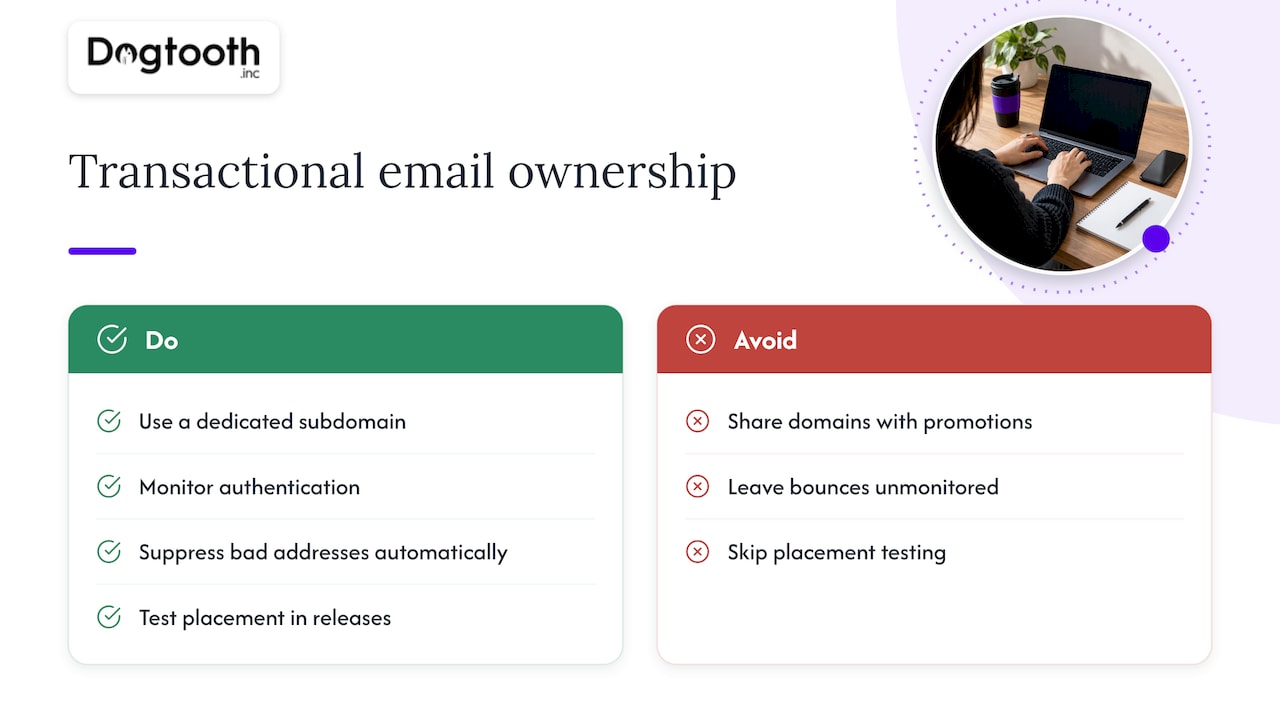
At Dogtooth we build and run this kind of infrastructure ourselves. We run our own campaign operation with an AI campaign manager that drafts on-brand emails, runs compliance checks, tests inbox delivery and schedules sends on a single approval. We built MailFurnace, our deliverability software for high-volume senders, because we kept seeing the same failure modes in client accounts: shared domains, unmonitored bounces, and nobody checking real placement.
Our view is that a transactional stream deserves the same engineering discipline as payments. That means its own subdomain, authentication that is monitored rather than set once, automated suppression of bad addresses, and placement testing wired into releases so a template change cannot silently push receipts into spam. When we migrate clients between email platforms or rebuild their e-commerce stack, the transactional layer is something we plan from day one, because it is what customers see right after they pay.
— Chase Weir
Need help with your email infrastructure?
If your receipts, resets or booking confirmations are landing in spam, or you are migrating platforms and cannot afford a gap in delivery, our senior team can audit your setup, rebuild the sending architecture and stay on after launch to keep it healthy. See what we do at Dogtooth Inc, including email infrastructure and deliverability, integrations and e-commerce engineering.
We ship weekly, and you work directly with the people building it. Pricing is scoped per project, so the quickest start is to tell us what you send, from which systems, and where it is going wrong.
FAQ
What is an example of a transactional email?
An order confirmation, a password reset link, a shipping notice, a receipt or a booking confirmation. Each is triggered by something the customer did or something that happened to their account, rather than by a marketing campaign.
Do transactional emails need an unsubscribe link?
Requirements are more lenient than for marketing mail, according to Lettr’s comparison, but the rule depends on the message’s primary purpose. Keep promotional content out of the message and you stay in transactional territory. Ask your counsel about edge cases, especially for messages that mix both.
Is passing SPF, DKIM and DMARC enough to reach the inbox?
No. Passing confirms the domain is authenticated and aligned, but reputation, recipient behavior and engagement still decide placement. Treat authentication as the entry requirement, then manage content, bounces and complaints.
Should I use the same domain for marketing and transactional email?
It is safer not to. Separate subdomains build separate reputations, so a weak campaign cannot damage password resets and receipts. Give each subdomain its own authentication records.
Why does my provider say delivered when the customer sees nothing?
Delivered generally means the receiving server accepted the message. It may still be routed to spam, held in a corporate gateway’s quarantine or dropped later. Test placement directly and ask the recipient to check their filters.
Sources
- Email sender guidelines, Gmail Help
- Transactional vs Marketing Email, Lettr
- Marketing and Transactional Email, Twilio
- Why are my emails filtered between the ESP and the recipient’s mailbox, Bloomreach
- Why are my transactional emails going to the junk folder, Suped
- Investigating an email sent via SES but never received, AWS Messaging blog
- Email best practices, Amazon Pinpoint
- What if an email says delivered but the recipient has not received it, Resend
- Avoiding Blocklistings, Part 1, Spamhaus
- A guide to improving and maintaining email deliverability, Spamhaus
- Understanding email deliverability, Klaviyo Help Center