The safest PHP upgrade path from PHP 5 is a staged one. Take an inventory of your code, dependencies and hosting. Move through PHP 7 with tests in place. Then land on a branch that still gets security fixes today, which means 8.4 or 8.5, not 8.2. The work is mostly about dependencies and testing, not syntax, and it goes best as a controlled project with a rollback plan. A rewrite is rarely needed. If your application earns revenue and nobody on staff knows its corners anymore, the plan below is how a senior team approaches it, and it is the kind of legacy migration Dogtooth Inc. builds and runs for brands with real volume.
TL;DR
- PHP 5 and PHP 7 are past end of life. The target is a supported 8.x branch: 8.4 or 8.5 gives you the most runway, while 8.2 is already close to its last security date.
- Treat it as a dependency problem first: your framework, Composer packages and extensions decide how fast you can move.
- Step through PHP 7.x on the way. Fix removed features (mysql_*, each, create_function) before you chase PHP 8 changes.
- Characterization tests that pass on the old version and then guide the fixes are your safety net.
- Deploy with blue-green or canary, watch errors and latency for 24 to 48 hours, and keep the old environment ready to switch back to.
Table of Contents
- Which PHP version to aim for
- Why the upgrade is a dependency problem
- Should you go through PHP 7 or jump straight to 8?
- Breaking changes to check, version by version
- Build the safety net before you change code
- A realistic timeline
- Deploy, monitor and roll back
- When the upgrade turns into a migration
- Perspective
- Where Dogtooth fits
- FAQ
- Sources
Which PHP version to aim for
PHP gives each release branch two years of active support, then two more years of security-only fixes, then it reaches end of life. The official supported-versions page lists the current picture as of November 2026: 8.2 gets security fixes until 31 December 2026, 8.3 until 31 December 2027, 8.4 until 31 December 2028, 8.5 until 31 December 2029, and 8.6, released on 19 November 2026, until 31 December 2030.
Those dates matter because the rules changed. A 2024 RFC accepted in April 2024 stretched security support to two years after active support and moved every end date to 31 December, starting with 8.2. Anything older than the 8.x line, including every 5.x and 7.x release, gets no fixes from the PHP project at all.
For a business, the practical choice is this:
| Target | Security fixes until | Fit |
|---|---|---|
| 8.2 | 31 Dec 2026 | Too close to the end for a project that is just starting |
| 8.3 | 31 Dec 2027 | Workable only as a stepping stone |
| 8.4 | 31 Dec 2028 | Solid target for most legacy applications |
| 8.5 | 31 Dec 2029 | Best runway if your dependencies already support it |
| 8.6 | 31 Dec 2030 | Newest; confirm framework and package support first |
One security write-up from October 2026 recommends targeting 8.4 or 8.5 rather than 8.2 and notes that every version from PHP 5 onward could be affected by the PHP2Shell issue. Its guidance is that old branches should be assumed exposed until a supported build is running. Distribution backports for old branches can bridge the gap, but they are not a long-term plan. Only a supported branch ends the problem.
If your site runs on a CMS such as Drupal, the PHP version is one layer of the defense. add another, and they work best on top of a supported PHP branch.
Why the upgrade is a dependency problem
Most teams open the upgrade by worrying about their own code. In practice, the framework, packages and extensions make up much of what runs in production, and any one of them can be the blocker. One engineer’s field notes put it plainly: the real PHP 8 upgrade is about dependencies, not syntax, and the upgrade should be boring, with no new language features until you no longer need to roll back.
So the first week is measurement, not coding. Do these four things:
- List every runtime requirement. Run
composer why-not php 8.4to see which packages refuse the new version, and list the PHP extensions your server loads. A missing or abandoned extension is a schedule risk you want to see on day one. - Scan the code. PHPCompatibility, a PHP_CodeSniffer standard, can check your code against a target version, for example
phpcs . --standard=PHPCompatibility --runtime-set testVersion 8.4. It flags removed extensions, reserved class names and call-time pass-by-reference, but it has no cross-file awareness or type inference, so treat its output as a starting list and not a verdict. - Map the hosting. Operating system, web server, PHP-FPM or mod_php, cron jobs, queue workers and any command-line scripts all run PHP. Inventory every one, because the forgotten nightly script is the one that breaks.
- Find the unowned code. Plugins, vendor folders copied by hand, and in-house libraries with no tests are where the surprises live.
At the end of week one you should know whether the framework itself is upgradeable. If it is a framework that was end-of-lifed along with PHP 5, the framework upgrade becomes the real project and PHP is the smaller part. We cover a similar framework-first plan in our Rails upgrade guide, and the same logic applies here.
Should you go through PHP 7 or jump straight to 8?
For a PHP 5 application of any size, step through PHP 7. The reason is that the breaking changes arrive in layers, and mixing layers makes failures hard to diagnose. When something breaks after a jump from 5.6 straight to 8.4, you cannot tell whether a removed 7.0 function, a changed 7.4 behavior or a stricter 8.0 rule caused it.
A sensible path looks like this:
- PHP 5.x to 7.4. Fix the removals and the fatal errors first. Your goal is a green test suite on 7.4, not clean code.
- PHP 7.4 to 8.0. Handle the behavior changes: stricter comparisons, exceptions instead of warnings, and removed deprecated features.
- PHP 8.0 to 8.4 or 8.5. Mostly deprecation notices. Turn on error reporting for deprecations in staging, clear them, and move on.
Smaller applications with good tests can collapse some of these steps. The test is simple: if you cannot reproduce a failure in isolation, go back a step. The goal is to make minimal changes to individual expressions and not rewrite whole statements. If each expression behaves the same given the same values, the whole application should continue to behave the same.
Also resist the urge to rewrite. The same practitioner wrote that in 23 years he recommended a full rewrite only twice, both times because the language was dead. PHP is alive, so upgrading is typically the safer and cheaper route.
Breaking changes to check, version by version
The official PHP 8.0 migration guide is the reference for the last big jump. Pulling the key items from it and from the earlier release notes, here is what to look for as you climb.
From PHP 5 into PHP 7.0
- The mysql_ functions are gone.* Move to PDO or mysqli with prepared statements. This is usually the largest single code change in a PHP 5 application, and it also closes a class of SQL injection risk.
- ereg_ and split are removed.* Replace them with preg_* functions or string functions.
- PHP 4-style constructors are deprecated. A method named after its class works as a constructor in 7.x with a warning, and stops being a constructor in 8.0. Rename them to
__construct.
Into PHP 7.2 to 7.4
- each() and create_function() are deprecated in 7.2. They are removed in 8.0, so replace them with foreach and anonymous functions now.
- Curly-brace string offsets such as
$s{0}are deprecated in 7.4 and removed in 8.0. Use square brackets.
Into PHP 8.0
- String and number comparison changed.
0 == 'foo'was true before and is false now. Any loose comparison in a login check, price rule or status switch deserves a look. - Many warnings became exceptions. Operations that quietly warned now throw TypeError or Error. Code that relied on silent failure will now fail loudly.
- New reserved words.
matchandmixedcan no longer be used as class names. - The @ operator no longer silences fatal errors.
- Functions return objects instead of resources. For example,
curl_initnow returns an object, which breaksis_resourcechecks.
A business owner does not need to memorize this list. What you need to know is that each item is findable by scan or by test, and that the risky ones, loose comparisons and swallowed errors, sit in the code paths that touch money, logins and data. Those are the paths to cover with tests first.
Build the safety net before you change code
Legacy applications seldom have tests. You do not need full coverage to upgrade; you need characterization tests, which record what the application does today so you can prove it does the same thing tomorrow.
The approach that works: write tests that pass on the old PHP version with the unchanged codebase, then run them on the new version, where they fail until the compatibility issues are fixed. Black-box browser tests with a tool such as Cypress suit this well because they do not care what language runs underneath.
Start with the flows that pay the bills:
- Sign-up, login and password reset.
- Checkout, payments and refunds.
- Exports, invoices and any scheduled report.
- Every integration that sends or receives data: payment processors, CRMs, email systems, shipping and tax APIs.
- Admin screens that staff use daily.
Run the same suite against a staging copy with production-like data and the same extension set. Staging that differs from production in extensions or configuration gives false confidence, which is worse than no staging.
A realistic timeline
The October 2026 security write-up suggests a rhythm that matches what we would plan for a mid-sized application: week 0 for containment, week 1 for measurement, weeks 2 to 6 for reviewable code changes, and weeks 4 to 8 to prove and switch. Your calendar will stretch if the framework needs its own upgrade, or if the database is also old.
- Week 0, contain. Restrict exposure of the old server: put it behind a web application firewall, remove unused admin endpoints, and patch the operating system. This buys time and does not replace the upgrade.
- Week 1, measure. The inventory above.
- Weeks 2 to 6, change. Small, reviewable pull requests, each one deployable on the old version too. That last property is what makes rollback trivial.
- Weeks 4 to 8, prove and switch. Staging soak, load comparison, then production cutover.
If an old database sits under the application, plan its upgrade as a separate track. Our database migration strategy guide covers choosing, planning and cutting over without surprises.
Deploy, monitor and roll back
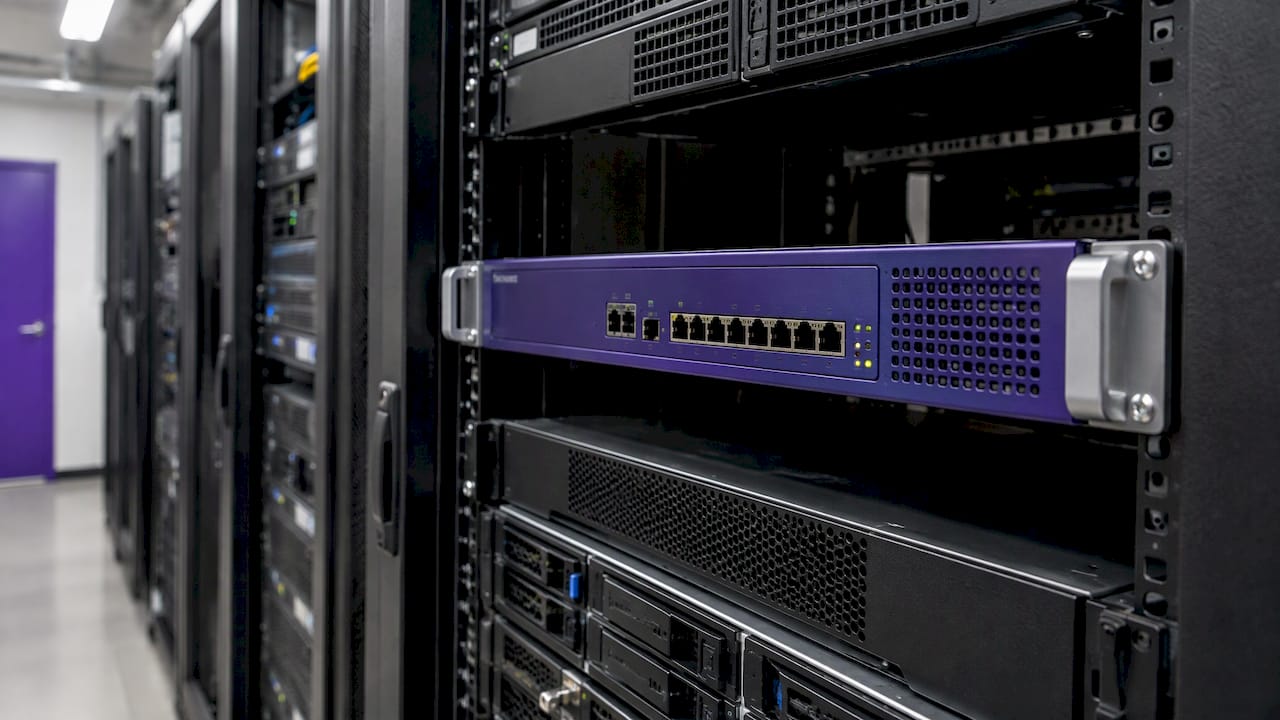
For anything customer-facing, avoid the Friday-night swap. Use a blue-green setup, where the new PHP stack runs beside the old one and traffic moves across at the load balancer, or a canary release that sends a small share of visitors to the new stack first. Both are recommended for critical applications.
After the switch, watch three things for at least 24 to 48 hours: error tracking, p95 and p99 latency (the response time that 95 or 99 percent of requests beat), and memory and CPU use. The same source suggests alerting on any rise in error rate, a p95 increase of 20 percent or more, and steady memory growth.
Rollback is the reason to keep changes boring. If every change was deployable on the old PHP version, rolling back means pointing traffic at the old stack, with no code reversal. Keep the old environment warm until a full business cycle has passed, including month-end jobs and any weekly batch work. Do not use new PHP 8 syntax in the codebase until that window closes.
When the upgrade turns into a migration
Some PHP 5 applications are not upgrade candidates. The framework has no supported successor, the database is end of life too, or the business wants to move to a platform such as Shopify at the same time. In that case the question shifts from “how do we upgrade” to “what do we move to, and in which order.” A phased approach beats a big bang; our legacy system migration article lays out five phases, and if you are weighing a platform move, the Magento to Shopify plan shows how costs and SEO risk are handled.
We have done this kind of move on a Drupal 6 research platform, brought to a modern stack in a case study you can read here.
Perspective
Most PHP 5 estates we are asked about are not broken. They are stuck, because nobody on staff wants to touch code that earns money and has no tests.
Our view is that the upgrade is a delivery problem. We build the safety net first, ship small changes weekly, and keep each one reversible, so the old version stays a working fallback until the new one has earned the traffic.
We run our own operation with the same discipline: AI in the loop, a single approval before anything goes out, and a senior team that stays on after launch. For a PHP upgrade that means the person who scoped the work is still there when the first production week ends.
Chase Weir
Where Dogtooth fits
If your PHP application is the engine of an e-commerce store, a portal or an internal platform, Dogtooth Inc. handles platform builds and migrations, custom web apps, e-commerce engineering and integrations and APIs. Our senior-led team ships weekly and stays on after launch to support scaling and efficiency. If you want the upgrade scoped, or want to know whether a migration makes more sense than an upgrade, start at dogtoothinc.com.
FAQ
Can I go straight from PHP 5 to PHP 8?
Technically yes, but it is rarely the safest route. The breaking changes of 7.0, 7.4 and 8.0 stack up, and a single jump makes failures hard to trace. Stepping through 7.4 with a passing test suite, then moving to 8.x, keeps each failure attributable to one change.
Which PHP 8 version should I choose today?
Pick a branch with years of security support left. According to the official supported-versions page, 8.4 is covered until 31 December 2028 and 8.5 until 31 December 2029. 8.2 ends on 31 December 2026, which is too soon for a project starting now.
What breaks most often when moving to PHP 8?
Loose comparisons, warnings that became exceptions, removed functions such as each and create_function, and checks like is_resource on values that are now objects. Dependencies that do not yet support PHP 8 are the other frequent blocker, so run composer why-not early.
Is it cheaper to rewrite than to upgrade?
Usually not. A PHP application can be upgraded in place, step by step, with the business running throughout. A rewrite is a different project with its own risk, and it is worth considering only when the framework or language has no supported future.
Sources
- PHP: Supported Versions
- PHP: Migrating from PHP 7.4.x to PHP 8.0.x, Manual
- How to Safely Upgrade Legacy PHP Applications to PHP 8
- PHP 8 in production: dependencies first
- PHP2Shell on end of life PHP: options for 5.x, 7.x, 8.0 and later
- PHP Release and End of Life Dates
- PHP Version Upgrade: A Development to Production Strategy