An AI agent for ecommerce is software that takes a goal, such as resolving a return or reconciling inventory, and decides which steps and tools to use to get there. It works inside your store, helpdesk and back office through APIs. A fixed workflow follows a script, and an agent chooses its own path. Most stores need both, with the agent handling only the messy parts. This guide covers what agents do, how they differ from workflows and RPA, what they need to run safely, and how to start.
TL;DR
- An agent plans and picks tools at runtime. A workflow runs predefined steps. Use workflows by default and add an agent where the input is ambiguous or the path can’t be known in advance.
- RPA copies clicks on stable screens. Agents handle variable inputs and exceptions, so they often sit on top of RPA rather than replacing it.
- Reliable agents need clean product and order data, scoped permissions, human escalation paths and action logs before they touch anything customer-facing.
- Start assistive (the agent drafts, a person approves), measure against a baseline, and widen autonomy only as the data and governance earn it.
Table of Contents
- What AI agents actually do in an online store
- Where agents earn their keep
- AI agents vs. workflows: choosing the right tool
- AI agents vs. RPA and traditional automation
- What an agent needs before it can be trusted
- How to pilot an agent without betting the store
- Our perspective
- Build the agent on a foundation that scales
- FAQ
- Sources
What AI agents actually do in an online store
The term gets stretched to cover everything from a chat widget to a fully autonomous buyer. A useful definition is narrower. Per AWS’s explainer on agentic commerce, these systems use large language models and orchestration frameworks to plan multi-step tasks, reason about them and execute them. They take natural language input, break a goal into subtasks, and reach data or external systems through APIs.
That separates an agent from a classic chatbot. Salesforce’s explanation of agentic commerce describes agents as systems that plan, reason, retrieve business data, adapt and act within guardrails, where a reactive chatbot only answers.
There are two sides to this, and they get confused:
- Agents you run inside your business. These handle support, merchandising, marketing and operations tasks for your team. This is the focus of this article.
- Agents your customers use to shop. Mastercard’s explainer describes agentic commerce as an AI agent searching, comparing and purchasing for a user with limited or no manual input. Your job here is to make your catalog and policies readable to those agents.
The market is large enough to take seriously. McKinsey estimates that by 2030 the US B2C retail market could see $900 billion to $1 trillion in agentic-commerce revenue to orchestrate. Treat that as a projection, not a promise. It tells you where attention is going, not what a single agent will return for your store.
Where agents earn their keep
Shopify’s guide to retail agents lists the common uses: round-the-clock customer support, personalized product discovery, marketing campaign generation, and inventory monitoring with demand forecasting. In practice, the jobs that work best share one trait. They involve reading several sources, making a judgment call, and then doing something small and reversible.
Customer service and post-purchase
A “where is my order” question is a workflow. An email that says the package arrived damaged, the customer already reordered, and they want the refund on a different card is not. An agent can read the order record, the carrier status and your return policy, draft a reply, and queue the refund for approval. We go deeper on the design side in our piece on what works in AI customer experience.
Booking, scheduling and payments
If you sell sessions, fittings, tastings or appointments next to physical products, an agent can take a request in plain language, check availability, charge the card and send the invite. We built exactly this for three combat sports brands, where one system books sessions, charges cards and sends invites for all three. The failure points in these systems are rarely the model. They are the gaps between calendar, payments and messaging, which we break down in our guide to AI booking agents.
Marketing operations
Drafting a campaign is the easy part. The value is in the checks around it: brand voice, compliance review, deliverability testing and scheduling. We run our own marketing this way, with an in-house AI campaign manager that drafts on-brand emails, runs compliance checks, tests inbox delivery and schedules sends on a single human approval.
Inventory and catalog operations
Agents can watch stock levels, flag mismatches between your point of sale and your storefront, and propose reorder or markdown actions. Stores that sell in more than one channel feel this most, because the data lives in different systems. Our craft brewery POS and Shopify integration shows the plumbing an agent would sit on top of.
AI agents vs. workflows: choosing the right tool
This is the question that saves the most money. A fixed workflow follows predefined steps and branches. An agent receives a goal and decides the next tool or step at runtime.
IBM’s decision guide for agent design frames it well. Use a workflow when inputs and decisions are predictable, repeatable and auditable. Use an agent when the request is ambiguous or unstructured, the path can’t be known ahead of time, or the system has to synthesize information across sources. It also suggests a hybrid: keep business rules and commits deterministic, and let the agent handle the ambiguous portion.
Redis’s engineering guidance adds the caution. Agent flexibility has costs, including compounding errors, loops, unpredictable behavior and uncontrolled token spend, so the advice is to start with a workflow and add agent behavior only where flexibility is necessary. Domo’s comparison lands in the same place: workflows for repeatable tasks, agents for open-ended ones that need multi-step reasoning.
Here is how that sorts common store tasks:
| Task | Better fit | Why |
|---|---|---|
| Send a shipping confirmation when an order ships | Workflow | Fixed trigger, fixed output |
| Tag orders over a set value for review | Workflow | Simple rule, easy to audit |
| Answer a customer email that mixes a return, a wrong size and a billing question | Agent | Unstructured input, several systems |
| Refund or exchange once approved | Workflow | A commit that must be exact and logged |
| Write product descriptions from supplier spec sheets in varying formats | Agent, then human review | Messy input, judgment on tone |
| Investigate why conversion dropped in one region | Agent | The path depends on what it finds |
The pattern in the table is the hybrid IBM describes. The agent interprets and drafts. The workflow commits. That split keeps the risky actions boring.
AI agents vs. RPA and traditional automation
Robotic process automation copies what a person does on a screen: click here, copy this field, paste it there. TechTarget’s guide to agentic process automation describes RPA as suited to repetitive, structured tasks, while agentic automation makes decisions and learns from data and can handle unstructured information.
In a store, the practical difference shows up when something changes:
- RPA breaks quietly. A supplier portal moves a button, or a vendor sends a spreadsheet with a new column order, and the bot stops or does the wrong thing until someone fixes it.
- Agents adapt, with their own risks. They can read the new layout or format and carry on, but they can also be confidently wrong, which is why they need guardrails.
The two are not rivals. NICE’s comparison of AI workflow automation and RPA claims that combining the two can reach two to three times the automation coverage of RPA alone. That is a vendor claim, so take the exact multiple with caution, but the direction matches what we see: keep stable, high-volume screen tasks on RPA or direct API calls, and send the exceptions to an agent.
If you have RPA bots that throw errors weekly, that is usually the first place an agent pays off. Better still, replace screen-scraping with a real integration. Our Integrations & APIs work often removes the need for the bot at all.
What an agent needs before it can be trusted
Most failed agent projects fail on data and permissions, not on the model. Four things need to be in place.
Data the agent can read
BCG’s October 2026 analysis for retailers says product, inventory, pricing, offer and fulfillment data should be accessible to agents, while customer identities, preferences, loyalty histories and behavioral data stay under the retailer’s control. Stripe’s guide to agentic commerce adds that businesses can prepare with structured product catalogs and agent-readable trust signals such as return policies and fulfillment guarantees.
If your catalog has inconsistent variants, missing attributes or a return policy that lives in a PDF, fix that first. No agent can reason well over data that contradicts itself.
Scoped permissions
Give an agent the least access that lets it do the job. Human Security’s guide calls for authenticated and scoped access, separation of read-only and transactional endpoints, rate limiting, monitoring and anomaly detection, plus consent and privacy controls. Algolia’s guidance puts it simply: treat agents like privileged employees, with defined roles, actions tracked separately from human actions, and role-based access control.
In a store, that means an agent that reads orders but can only propose refunds, or issue them only under a set amount.
Humans at the right points
Decide in advance what triggers an escalation: refund above a threshold, a legal or safety complaint, a customer who has written in three times, a low-confidence answer. We cover three practical oversight designs in our guide to humans in the loop, and the runtime controls that sit behind them in our piece on AI agent safety.
Logs and monitoring
Agents act fast and often. A Cloud Security Alliance paper on NIST-aligned governance argues that traditional audit logs aren’t enough and that agentic systems need real-time monitoring for anomalous patterns. Ownership matters too: Algolia notes that governance needs accountability at the executive level and shared ownership across legal, IT security, operations and the business function using the agent.
How to pilot an agent without betting the store
The sequence below is the one we’d follow with any ecommerce team.
- Pick one painful, bounded job. Choose something your team does dozens of times a week that needs judgment but has a clear right answer, such as triaging support tickets or reconciling inventory mismatches.
- Write down the baseline. Capture current response time, resolution rate, ticket volume and, if relevant, cart abandonment, before the agent goes live. Without this you can’t tell if it helped.
- Build it assistive first. The agent drafts or recommends. A person approves. Log every suggestion and every override.
- Keep commits deterministic. Refunds, charges, stock changes and customer emails go through fixed workflow steps with limits, not free-form agent actions.
- Review the overrides weekly. The cases where humans changed the agent’s answer tell you what to fix: missing data, a vague policy or a bad prompt.
- Widen autonomy in steps. Let the agent act alone only on the categories where overrides have dropped close to zero, and keep a way to switch it off.
The maturity curve matters as much as the technology. Looking at makes the pattern clear: the strongest results come from teams that keep people in the loop at the start and extend autonomy as data quality and governance improve.
Regulation to watch
If you sell into the European Union, its AI Act sets requirements for high-risk systems, including risk management (Article 9), automatic logging (Article 12) and technically embedded human oversight (Article 14), according to one compliance summary. Most ecommerce support agents will not be classed as high risk, but the same habits of logging and oversight are cheap insurance anywhere. Ask counsel which rules apply to your use case.
Our perspective
We build AI agents inside live workflows, and we run our own operation on them. Three things we have learned hold up across projects.
First, the agent is the smallest part of the system. The real work is the connection between the model and your storefront, payments, helpdesk and data. When that plumbing is solid, the agent is nearly easy. When it isn’t, no model will rescue it.
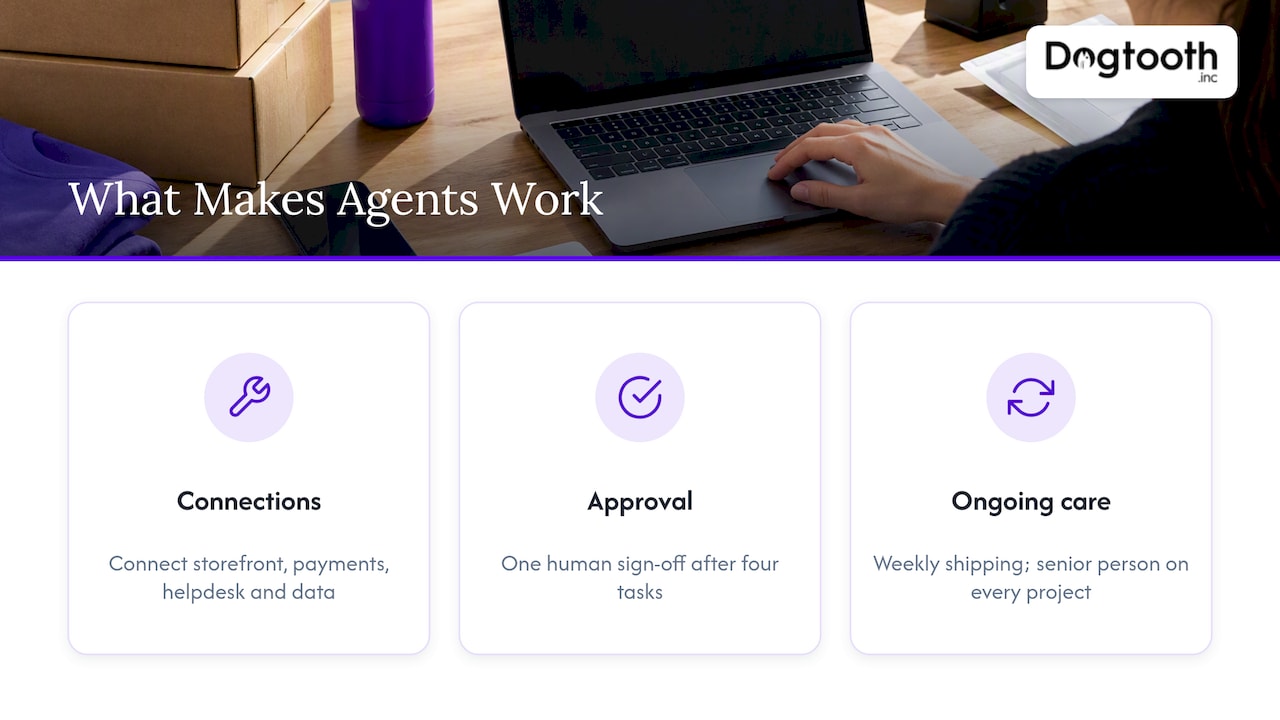
Second, one approval beats ten. Our campaign manager does the drafting, compliance checking, delivery testing and scheduling, and a human signs off once. That is the shape we recommend for most store tasks: do the tedious work for people, then let them make the one decision that matters.
Third, the launch is the start. Agents drift as catalogs, policies and customer behavior change. That’s why we stay on after launch, ship weekly and keep a senior person on every project.
— Chase Weir
Build the agent on a foundation that scales
If you are weighing an agent for support, booking, marketing operations or inventory, we can help you scope the first one, connect it to your stack and keep it running. Our work covers AI agents and automation, e-commerce engineering, integrations and platform migrations, with a senior team that treats each project as its own. If your store’s speed or checkout is the bigger drag right now, start with our notes on Shopify checkout optimization.

We usually begin with a short review of one workflow: where the data lives, what the agent could safely decide, and what must stay with a person.
FAQ
What is the difference between an AI agent and a chatbot?
A chatbot responds to questions, usually from a script or a knowledge base. An agent plans, retrieves business data, picks tools and takes actions within guardrails, such as checking an order, drafting a reply and queuing a refund. The agent can change things in your systems, which is why it needs permission limits and logs.
Should I replace my RPA bots with AI agents?
Not automatically. RPA remains a good fit for stable, structured tasks that rarely change. Agents make sense where inputs vary or exceptions pile up. Many teams keep the stable bots, move the exception handling to an agent, and replace fragile screen-scraping with direct integrations where they can.
When should I use an agent instead of a workflow?
Use an agent when the request is ambiguous, the path depends on what the system finds, or the task requires pulling information from several sources. If you can write the steps down in advance and they rarely change, a workflow is cheaper, faster and easier to audit. Most good designs combine the two.
How do I measure whether an ecommerce agent is working?
Record a baseline before launch, then track response time, resolution rate, support ticket volume and cart abandonment where it applies. Also track how often humans override the agent’s output. A falling override rate is the clearest sign it is ready for more autonomy.
Sources
- AWS: What is agentic commerce?
- Salesforce: What is agentic commerce?
- Mastercard: What is agentic commerce?
- McKinsey: The agentic commerce opportunity
- Shopify: AI agents for retail
- IBM: Agent or agentic workflow decision guide
- Redis: AI agents vs workflows
- Domo: AI agents vs AI workflows
- TechTarget: Agentic process automation
- NICE: AI workflow automation vs RPA
- BCG: How retailers can win with AI shopping agents
- Stripe: Agentic commerce guide
- Human Security: Guide to adopting agentic commerce
- Algolia: AI agent use cases
- Cloud Security Alliance: Agentic AI governance and NIST
- Skyrelis: Compliance controls for AI agents