AI workflow automation puts AI inside the multi-step processes your business already runs, so software can read, draft, classify, decide and act while rules and people keep control of the risky parts. The practical way to start is small: pick one high-volume, low-risk process, map it, split the work between rules, AI and people, and expand only after it proves itself. This guide covers what that looks like, where it pays off, and what breaks when teams skip the plumbing.
TL;DR
- Traditional automation follows fixed rules on structured data. AI workflow automation adds judgment on messy inputs such as emails, documents and requests.
- The best results come from a hybrid: rules control triggers, permissions and thresholds, and AI handles interpretation and drafting.
- Start with one contained, measurable process. Map steps, data, decisions and exceptions before you build anything.
- Decide up front who approves what. High-impact actions need a person; low-impact, high-volume work can be spot-checked.
- Running several brands? Keep each brand’s data, prompts and approvals separate, and share only the orchestration layer.
Table of Contents
- What AI workflow automation actually is
- Practical examples by function
- How to roll out AI workflow automation, step by step
- Keeping people in control
- Connecting AI to the systems you already have
- Automating across multiple brands without mixing them up
- Our perspective
- Where we can help
- FAQ
- Sources
What AI workflow automation actually is
A workflow is a sequence of steps that moves work from trigger to outcome: a lead arrives, gets checked, gets routed, gets a reply. IBM describes AI workflow automation as using AI technologies to automate, coordinate or enhance those sequences, either autonomously or alongside people. The key shift is the agent: software that perceives context, plans several steps, calls other systems and acts toward a defined goal.
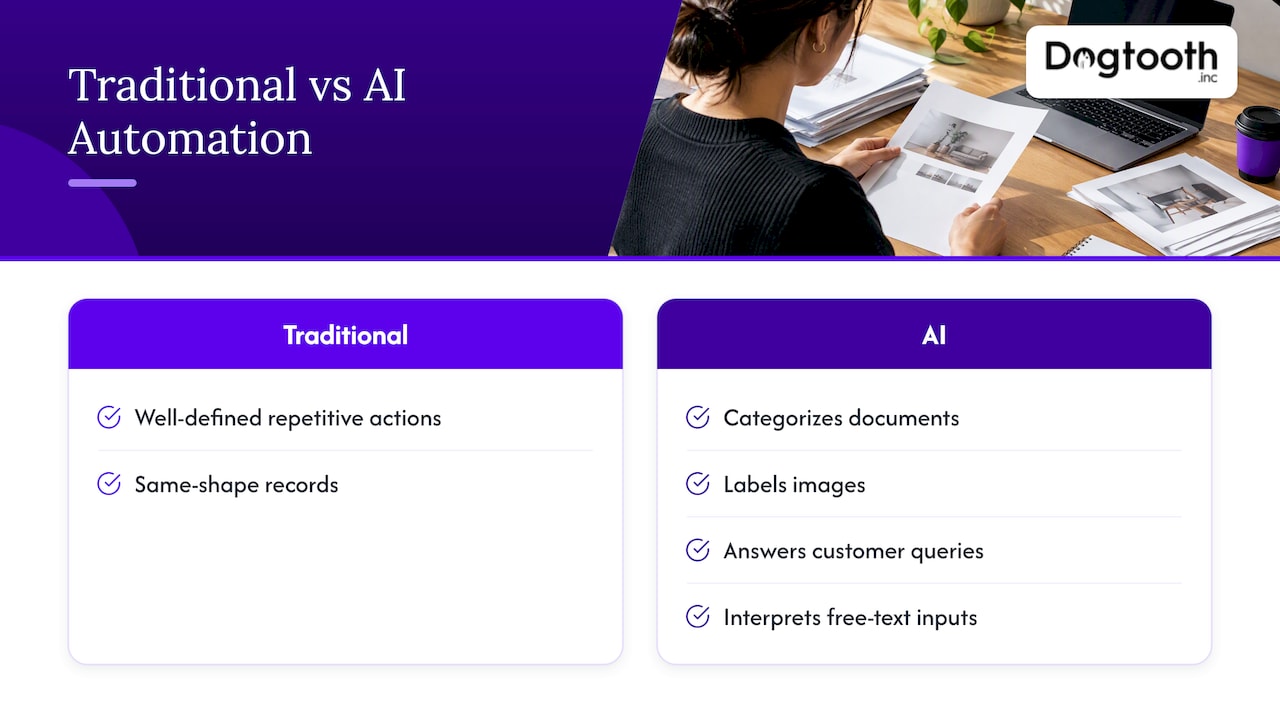
Traditional automation is still the right tool for plenty of work. AWS notes that conventional automation handles well-defined, repetitive actions, while AI adds abilities such as categorizing documents, labeling images and answering customer queries. The line is the input. If every record arrives in the same shape, a rule is cheaper, faster and easier to audit. If the input is a contract, a free-text request or a forwarded email thread, you need something that can interpret it.
Rules and AI work best together
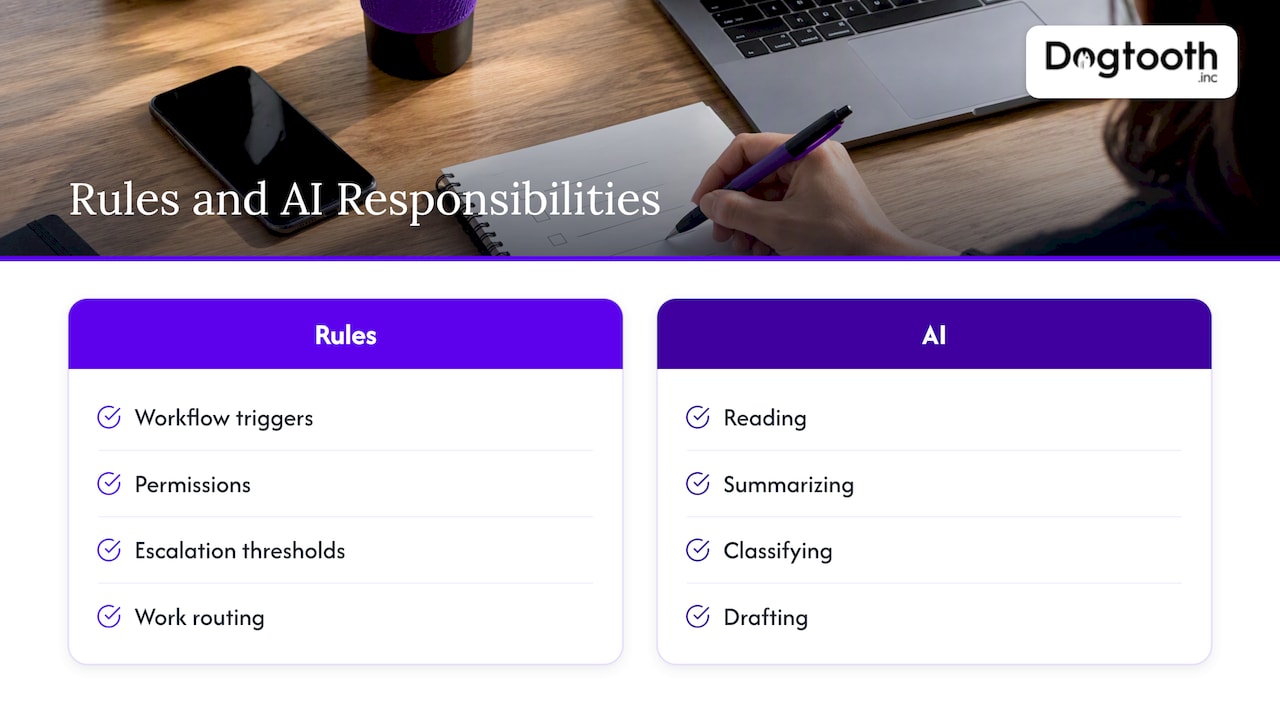
Most failed pilots treat this as an either-or choice. The better pattern is to let rules own what must be predictable (when a workflow fires, who is allowed to do what, what thresholds trigger escalation, where work is routed) and let AI own what is variable (reading, summarizing, classifying, drafting). Microsoft’s guidance on AI automation points the same way: use robotic process automation for structured work and AI tools where judgment or variability enters.
That split also keeps your costs sane. Every step you can leave deterministic is a step that never hallucinates, never needs prompt tuning and never surprises you at month end.
Practical examples by function
Generic lists of use cases are easy to find. What matters is the shape of each example: what comes in, what the AI does, and where a person or rule steps in.
| Function | Input | What AI does | Control point |
|---|---|---|---|
| Sales ops | New lead form and company data | Enriches, scores, drafts a first reply | Rule routes high scores to a rep; missing data goes to manual review |
| Support | Incoming tickets | Classifies, prioritizes, drafts a response | Human approves anything customer-facing above a risk threshold |
| Finance | Invoices and receipts | Extracts fields, flags anomalies | Rule matches against purchase orders; exceptions to a person |
| Marketing | Campaign brief | Drafts copy, checks brand and compliance rules | One approval before scheduling |
| E-commerce | Orders, inventory, demand signals | Forecasts demand, drafts purchase orders | Buyer approves orders above a set value |
| Scheduling | Booking requests | Finds slots, charges, sends invites | Rules enforce capacity and payment status |
A few of these are documented in public case material:
- Marketing production. Google describes an internal marketing workflow in which agents audit dependencies, generate briefs for human approval, localize assets and report performance. It says the process sped up two to threefold, from a week to two days.
- Back-office finance. An OpenAI case study says a New Mexico restaurant franchisee reconciled cash across three restaurants in five to ten minutes instead of three hours using ChatGPT Work.
- E-commerce. Shopify’s examples include simulated shoppers testing storefronts and agents generating purchase orders from usage, seasonality and lead times, plus support, fraud detection and bookkeeping.
- Voice and phone operations. Contact centers are a clear case of agents acting inside live workflows; this look at AI agent assist in contact centers shows how teams prove value before scaling.
Treat vendor-reported numbers as what they are: results from one team’s setup. Your savings depend on volume, data quality and how much of the process was manual in the first place.
An example we run ourselves
We build these systems for clients and run the same pattern internally. For a group of three combat sports brands, an AI agent books sessions, charges cards and sends invites across all three at once. Inside our own operation, an AI campaign manager drafts on-brand emails, runs compliance checks, tests inbox delivery and schedules the send on a single approval. In both cases the AI does the drafting and checking; a person or a hard rule owns the final action.
Booking is a good illustration of where the real work sits. The model is rarely the hard part. The gaps are usually in availability data, payments and notifications, which is what our piece on AI booking agents and the three system gaps walks through.
How to roll out AI workflow automation, step by step
The published rollout frameworks from large software vendors converge on the same path, and it matches what we see on client projects. Microsoft recommends piloting in one team, measuring time savings and errors, and expanding gradually. Here is that path in practice.
- Pick one contained process. High volume, low risk, several data sources and a usable output: lead scoring and ticket triage are classic choices. Avoid anything where one wrong output is expensive.
- Define success in numbers. Minutes per task, error rate, time to first response, share of items handled without intervention. Capture the baseline before you change anything.
- Map the process as it really runs. Write down each step, the data it uses, the decisions made and the exceptions. The exceptions list is usually longer than anyone expects, and it is where AI workflows fail.
- Assign roles. For each step, decide whether a rule, an AI agent or a person owns it. Default to a rule when the input is structured.
- Connect approved data and actions only. Give the agent access to the systems it needs and nothing more. Each agent should have its own identity and permissions, scoped to its task.
- Write explicit instructions. Spell out the task, the format of the output, what to do when data is missing and when to escalate. Vague prompts produce vague work.
- Set approval gates and logs. Record inputs, outputs, errors and approvals so you can investigate any result later.
- Test on real cases. Run historical items through the workflow and compare against what your team actually did, including the ugly edge cases.
- Deploy narrowly, then widen. Start with one team or one brand. Monitor accuracy, interventions and outcomes weekly.
The order matters. Teams that buy a tool first and map the process second end up automating a process nobody understood.
Keeping people in control
Smartsheet cautions that AI output can be probabilistic and inconsistent, which means flexible handling of ambiguous inputs comes with a testing burden. That is not a reason to avoid AI. It is a reason to design oversight deliberately instead of adding it after the first incident.
Australia’s National AI Centre, a government body, offers a useful way to match oversight to impact. It distinguishes four modes: human-in-the-loop approval for high-impact work, human-on-the-loop monitoring for medium-impact high-volume work, spot-checking for low-impact high-volume work, and exception handling for predictable edge cases. It also recommends defining what AI and people each do, how outputs are checked, and when escalation or stopping AI use is triggered. The guidance is Australian, but the logic applies to any operation.
In practice:
- A drafted refund approval or contract clause goes to a person every time.
- A ticket classifier running thousands of items a day gets monitored through dashboards and sampled.
- A formatting step on internal notes gets an occasional spot check.
- Known oddities, such as a customer with two accounts, are routed by rule to a named owner.
A Forbes Business Council playbook suggests using AI first for decision support (summarizing, classifying, extracting, flagging anomalies, drafting responses) and keeping human approval where financial, legal or customer-facing risk sits. We agree, and we go deeper on the models in our post on three human-in-the-loop oversight patterns.
Connecting AI to the systems you already have
The unglamorous part decides whether the project survives. IBM recommends assigning accountability, preparing enterprise systems and context, governing the agent lifecycle, sharing operational visibility and measuring outcomes continuously. It also says each agent should have an identity and permissions aligned to its task, with higher-impact actions potentially requiring human approval and activity records kept for accountability.
Translate that into a checklist before you build:
- APIs. Can the agent read and write to your CRM, store, billing and scheduling tools through documented endpoints? If your core system is a decade-old monolith, you may need a thin integration layer first. Our write-up on API modernization without a big bang covers one way to do that incrementally.
- Data quality. An agent that reads duplicate or stale records will confidently act on them. Clean the fields it depends on.
- Permissions. Least privilege, per agent. No shared admin keys.
- Logging. Every action traceable to an input, a prompt version and an approver.
- Runtime controls. Rate limits, spend caps and kill switches. See our guide to enterprise runtime controls for AI agents.
- Failure paths. When the model is down or unsure, the work should fall back to a queue for a person, not disappear.
If your platform is the bottleneck, migration may come before automation. Moving off an outdated stack without downtime is a project in itself; our article on zero downtime migration covers the cutover checks.
Automating across multiple brands without mixing them up
Companies that run several brands, locations or client accounts want one automation layer, not three. That is sensible, but the risk is leakage: one brand’s customer data, tone of voice or pricing showing up in another’s output. One security glossary describes the failure mode as shared retrieval, caches or orchestration layers leaking context into later sessions.
A workable design keeps these separate per brand:
- Data stores and retrieval indexes. Each brand queries only its own records.
- Prompts and style rules. Brand voice, compliance language and forbidden claims live in per-brand configuration, not in a shared prompt.
- Credentials. Each brand’s payment processor, email domain and calendar are separate connections.
- Approvals and logs. Routed to each brand’s owner, and filterable by brand.
What you share is the orchestration: the same workflow logic for booking, charging and inviting, parameterized by brand. That is how the single booking agent in our combat sports project can serve three brands at once while each keeps its own customers and rules. Test it the way you would test security: deliberately feed brand A’s request into brand B’s context and confirm nothing crosses.
Our perspective
We have shipped enough of these to have strong opinions. First, the agent is the easy part; the workflow around it is the product. Booking, charging, inviting and reporting only work when the data, payments and notifications underneath are reliable. Second, we run our own operation the way we build for clients, because it is the fastest way to find out what breaks. Our campaign manager earned its place by drafting, checking compliance and testing delivery before a human ever clicks approve. Third, one approval at the end beats ten approvals along the way, as long as the checks before it are real. Finally, launch is the start. Models drift, systems change and edge cases keep arriving, so someone senior needs to stay on the project after go-live.
— Chase Weir
Where we can help
If you have a process in mind and an aging system underneath it, that is the work we do: AI agents and workflow automation, integrations, custom platforms and migrations, delivered by a senior team that ships weekly and stays on after launch. We are built for established operations with real volume, not off-the-shelf tinkering. For a sense of the end result, look at the practitioner portal with Stripe Connect payouts or the craft brewery POS and Shopify integration.
FAQ
What is the difference between AI workflow automation and regular automation?
Regular automation moves data between systems by fixed rules and works best on predictable, structured inputs. AI workflow automation adds the ability to interpret unstructured inputs such as emails and documents, classify requests and draft responses. Most production systems combine both, with rules controlling triggers and permissions.
Which process should I automate first?
Choose a high-volume, low-risk process with a measurable output, such as ticket triage, lead scoring or invoice data extraction. Avoid anything where a single error is costly until you have logs and a track record. Measure the baseline first so you can prove the gain.
Do I still need people in the loop?
Yes, in proportion to impact. High-impact decisions, especially financial, legal or customer-facing ones, should get human approval. Lower-impact, high-volume steps can be monitored or spot-checked, with exceptions routed to a named owner.
Can one AI system serve several brands safely?
Yes, if you separate each brand’s data, prompts, credentials and approvals and share only the workflow logic. Test for leakage deliberately before launch, and keep logs filterable by brand.
Sources
- IBM: AI Workflow
- AWS: What is AI automation?
- Microsoft: AI automation guidance
- Smartsheet: AI workflow automation
- Google: Cloud agentic workflow integration
- OpenAI: Franchisee cash reconciliation case study
- Shopify: Agentic AI use cases
- National AI Centre (Australia): Redesign your workflow
- Forbes Business Council: Streamlining business processes with automation and AI
- IBM: Preparing your enterprise for AI agents
- Multi-tenant AI support glossary