AI automation has no single price. It costs a lot less than people fear for a narrow, well-defined workflow and a lot more than they expect when it has to touch messy data and several systems. Most of the spend is not the AI model. It is the data preparation, integration, testing and upkeep around it. This guide shows where the money goes, which line items are one-time and which recur, and how to estimate a budget before you talk to anyone.
TL;DR
- Outside developers commonly bill $150 to $300 per hour when a company has no in-house AI expertise, so scope drives cost more than any tool does.
- Data preparation typically takes 25% to 35% of a project budget, and integration plus testing often take 40% to 60% of the build, per the same cost guide.
- Plan for ongoing costs: monitoring and maintenance of $500 to $5,000 a month, or 15% to 25% of the initial build per year.
- Model usage fees are usually the smallest line in a well-designed system. They still need a ceiling.
- The cheapest project is a narrow one: one workflow, one owner, one measurable outcome.
Table of Contents
- What you are actually paying for
- Three tiers of AI automation, and what separates them
- One-time costs
- Recurring costs
- A worked budget example
- What pushes the price up or down
- Can you build AI automation for free?
- How to estimate cost and return before you commit
- Where AI automation pays off first
- Ways to keep the cost under control
- Our perspective
- Work with Dogtooth on your AI automation
- FAQ
- Sources
What you are actually paying for
When a quote says “AI automation,” it bundles several different kinds of work. Separating them is the fastest way to understand a price, and the fastest way to compare two proposals fairly.
Discovery and design. Someone has to map the workflow as it really runs, not as the process document says it runs. Who touches the request? Where does it stall? What does a correct outcome look like? This is cheap compared with the build and it is the step that decides whether the build is the right size.
Data preparation. Agents and automations are only as good as what they read. Cleaning records, deduplicating customers, fixing inconsistent fields and deciding what the system may see all take time. One cost guide puts data preparation at 25% to 35% of total project budget in direct costs.
Integration engineering. Connecting the automation to your CRM, payment processor, calendar, store platform or internal tools is where most custom effort goes. Integration engineering and quality testing together often account for 40% to 60% of total build cost.
Model and tool usage. The AI itself is billed by use, or bundled in a platform subscription.
Testing and evaluation. Before anything acts on a customer’s behalf, it needs a test set, edge cases and a review of what happens when it is wrong.
Security, compliance and training. Access controls, logging, privacy review and teaching your staff to work alongside the system.
Maintenance. Models change, APIs change, your business changes. Someone has to watch it.
If a proposal shows one number with none of these lines, ask for them to be broken out. That is a normal request, and a good team expects it.
Three tiers of AI automation, and what separates them
Instead of chasing a headline price, place your project in one of three tiers. Each tier has a different cost structure.
| Tier | What it looks like | Where the cost sits |
|---|---|---|
| Simple workflow automation | One trigger, a few steps, one or two connected tools, an AI step that drafts, sorts or summarizes | Mostly setup time and a platform subscription |
| Custom AI system | An agent that reads your data, makes decisions inside rules and acts in several systems | Integration, testing and data preparation |
| Enterprise implementation | Multiple departments, strict compliance, high volume, formal oversight | Governance, security, change management and ongoing operations |
The jump between tiers is not about how smart the AI is. It is about how many systems it touches, how bad it is when it errs, and how much oversight you need. A drafting assistant that a person reviews before sending is a different risk than an agent that charges cards and sends invites. The second needs tighter controls, which is why runtime controls for AI agents are part of any serious scope, and why a human-in-the-loop design is often the right way to start small and expand.
One-time costs
These are the costs you pay before the system is useful.
Build and integration
If you hire outside help, labor is the main one-time cost. A commonly cited range for external development without in-house expertise is $150 to $300 per hour. A project’s price is that rate multiplied by the hours it takes to understand your systems, clean your data, wire things together and test. Published breakdowns of AI development cost tiers, timelines and contracts show how widely totals spread once scope grows, which is the point: scope is the lever.
Data work
Treat data preparation as a line item from day one. Teams that skip it pay for it later in rework, when the automation behaves strangely because the underlying records are inconsistent.
Testing and evaluation
Budget for building a test set from real past cases, running the system against it, and fixing what fails. This is what separates a demo from something you can leave running.
Training and rollout
People need to know what the system does, what it does not do, and how to override it. This is a small cost that prevents large frustration.
Recurring costs
Most surprises in AI budgets come from this side.
Model usage
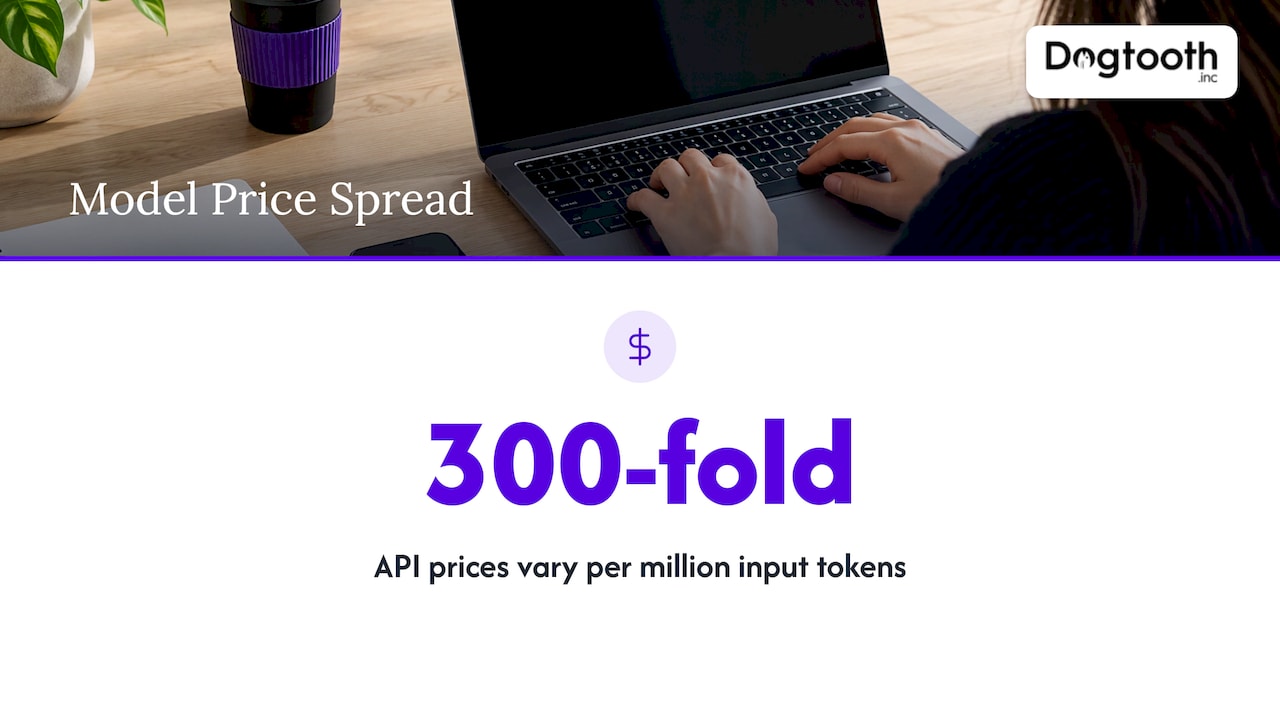
Hosted models are billed per token. As of November 2026, one pricing chart lists API prices from $0.03 per million input tokens for entry-level models up to $10 for flagship models. That is a 300-fold spread, so the choice of model matters. Many automation steps (classifying a message, extracting a field, drafting a routine reply) do not need a flagship model. Matching the model to the task is one of the most effective ways to control spend. If you want to see how usage pricing is structured in practice, a reserved inference pricing page shows how capacity and contract length affect what you pay.
Output tokens are typically priced higher than input tokens, and long prompts that carry your whole knowledge base on every call add up. Good design trims what is sent each time.
Platform and infrastructure
Workflow platforms, hosting, databases, logging and email or messaging services all have monthly fees. Individually small, together they are a real line.
Monitoring and maintenance
One guide puts monthly monitoring and maintenance at $500 to $5,000, or 15% to 25% of the initial build cost per year. Which one applies depends on how much the system changes and how critical it is. Maintenance covers watching error rates, updating prompts and integrations when a vendor changes an API, and reviewing outputs for drift.
Security and compliance
If your automation touches customer data, payments or health information, expect recurring review, access management and audit logging. Build this in rather than bolting it on.
A worked budget example
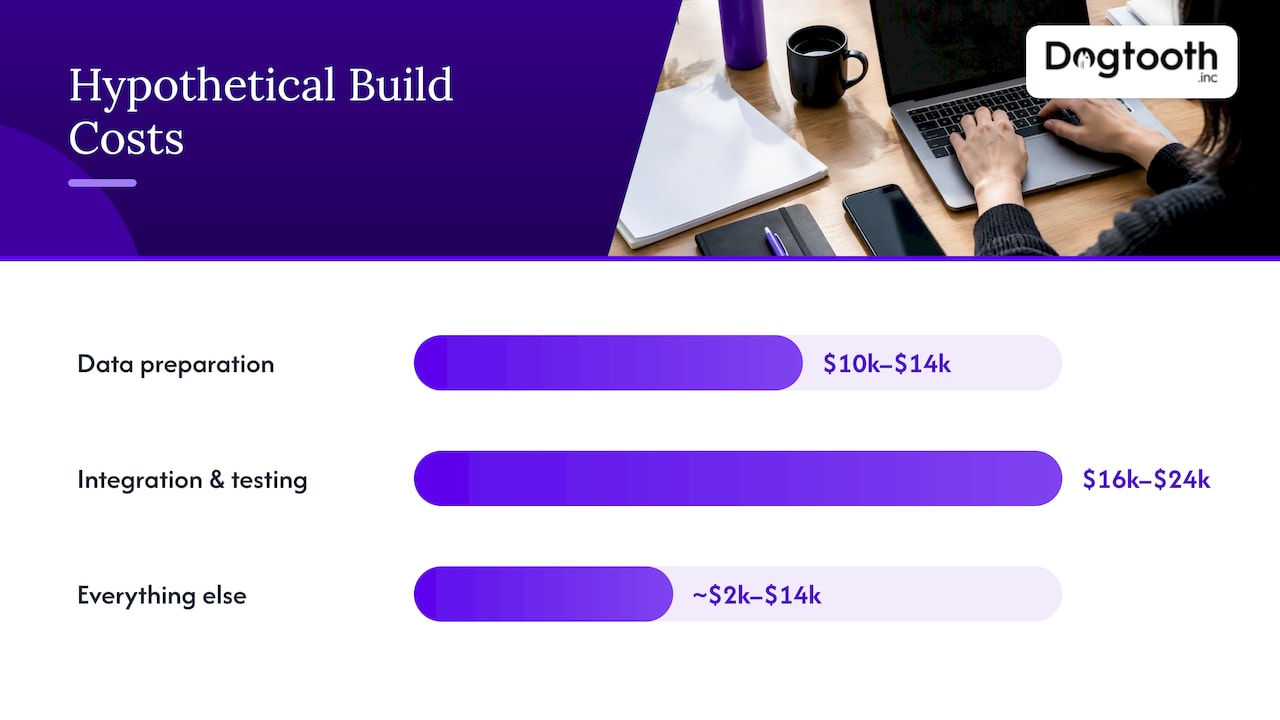
The numbers below are an illustration, not a quote. They apply the percentages from the cost guide to a hypothetical $40,000 custom build, so you can see how the pieces fit.
| Line | Basis | Amount |
|---|---|---|
| Total initial build | Hypothetical | $40,000 |
| Data preparation | 25% to 35% of the budget | $10,000 to $14,000 |
| Integration and testing | 40% to 60% of the build | $16,000 to $24,000 |
| Everything else (design, rollout, training) | Remainder | Roughly $2,000 to $14,000 |
| Yearly maintenance | 15% to 25% of the build | $6,000 to $10,000 |
Two things stand out. First, the AI model is not even a line in the biggest costs. Second, in year one you should expect the maintenance figure on top of the build. A buyer who budgets only for the build is under-budgeted by roughly a fifth, give or take.
Compare that to the monthly alternative: at $500 to $5,000 a month for monitoring, you would spend $6,000 to $60,000 a year. That wide gap is why you should agree on what monitoring includes before signing, not after.
What pushes the price up or down
Number of systems touched. Each integration adds engineering and testing. An automation that lives in one tool is cheaper than one that reads from your store, writes to your CRM and charges a card.
State of your data. Clean, structured data reduces cost. Legacy systems with inconsistent records raise it. If your stack is old, a staged approach such as API modernization without a big bang can make the later AI work cheaper.
Cost of an error. A wrong draft that a person checks is low risk. A wrong refund is not. The higher the stakes, the more testing and oversight you pay for.
Volume. More transactions mean more model usage, but also more value per dollar of build cost. Volume is where automation economics improve.
Custom versus off-the-shelf. Off-the-shelf tools are cheaper to start and limited in how they fit your process. Custom work costs more upfront and fits your workflow, including its odd corners.
Who does the work. In-house teams carry salaries and the learning curve. Outside teams carry hourly or project rates but arrive with experience. Many businesses blend the two: an outside team builds and then hands day-to-day ownership to staff, or stays on for support.
Can you build AI automation for free?
For a small experiment, you can get surprisingly far with low-cost tools: a no-code workflow builder, a pay-as-you-go model account and an afternoon. That is a fair way to learn what your process needs, and it costs mostly your time.
The cost shows up when the workflow becomes something the business depends on. Your time has a price, and so do the tasks that begin to run unattended: error handling, retries, logging, permissions, and a plan for when a vendor changes something. The point where a business should bring in engineering is usually when the automation touches money, customer records or several systems at once.
How to estimate cost and return before you commit
A short method that works for most projects:
- Pick one workflow. Choose a process that is frequent, rule-based and painful. Booking, intake, reporting and first-draft writing are common candidates. See how to start with AI workflow automation.
- Measure the current cost. Count the hours per week, multiply by the loaded hourly cost of the people doing it, and add the cost of errors and delays.
- Define the finish line. Decide what “done” means: a percentage of cases handled without a person, a response time, an error rate.
- Price the one-time work. Use the categories above: discovery, data, integration, testing, rollout.
- Price the recurring work. Model usage, platform fees, and maintenance at 15% to 25% of build per year as a planning assumption.
- Compare over 12 to 24 months. Savings should cover both the build and the recurring costs. If they only cover the build, the project is thinner than it looks.
- Start with a pilot. Run the narrowest useful version, measure it, then expand.
Return is not only labor saved. Faster response, fewer dropped bookings and cleaner reporting often matter more. An AI booking agent that stops leads from falling through gaps between systems pays back through revenue as well as hours.
Where AI automation pays off first
The highest-return starting points share traits: high volume, clear rules, a measurable outcome and a person who can review exceptions.
- Bookings and scheduling. Taking requests, confirming slots, charging cards and sending invites. We describe one multi-brand example in our combat sports booking case study.
- Customer experience. Drafting replies, routing requests and surfacing context for staff. See what works in AI customer experience.
- E-commerce. Support, merchandising and personalization have a clear revenue link, though not every use is worth building. Read where AI agents for ecommerce work and where they do not.
- Moderation and review. Checking content or submissions against rules, with people handling the borderline cases. See how to build AI content moderation.
- Marketing operations. Drafting, compliance checks and scheduling on a single approval.
Ways to keep the cost under control
- Start narrow. One workflow at a time keeps scope, testing and risk small.
- Match model to task. Use small, inexpensive models for routine steps and reserve premium models for hard reasoning.
- Cap usage. Set spending limits and alerts on model accounts from the first day.
- Design for review. A person approving the final step reduces both risk and the amount of testing needed up front.
- Reuse what you have. Existing APIs, clean data and documented processes are the cheapest assets in any project.
- Agree on maintenance in writing. Know what monitoring covers, how often, and who responds when something breaks.
Our perspective
Most buyers ask what the AI costs. The better question is what the workflow costs when it breaks, and who is watching it when it does.
We build AI agents that work inside real workflows: drafting, checking, booking and reporting. One of them books sessions, charges cards and sends invites for three brands at once. We run our own operation the same way, with an in-house AI campaign manager that drafts on-brand emails, runs compliance checks, tests inbox delivery and schedules sends on a single approval. That is why we are comfortable telling you where the money goes: into understanding the process, connecting the systems and testing the edge cases, not into the model.
Our approach is to ship in small weekly increments, so you see a working piece early and can judge the return before committing to the next one. A senior team stays on after launch, because an automation that nobody tends gradually stops matching the business it was built for.
If your systems are old or your store is slow, fix that in the same plan. Automation on top of a solid foundation is cheaper to build and cheaper to keep.
Chase Weir
Work with Dogtooth on your AI automation
We design and integrate AI agents for workflow automation, build the integrations and APIs they depend on, and handle the platform and e-commerce work underneath. Projects are scoped to your operation, so we do not publish a fixed price. We start by mapping one workflow and defining what a good result looks like, then build it in weekly steps.
See what we build and get in touch on the Dogtooth Inc site.
FAQ
How much does AI automation cost for a business?
It depends on scope, not on the AI tool. Outside development is commonly billed at $150 to $300 per hour, and the total is the hours needed to prepare data, integrate systems and test. Add ongoing maintenance of 15% to 25% of the build per year.
How much does AI implementation cost compared with the cost of the AI itself?
Implementation is usually the larger share. Data preparation alone often takes 25% to 35% of a project, and integration plus testing 40% to 60% of the build, according to a published cost guide. Model usage is billed separately and varies with the model you pick.
What recurring costs should I expect after launch?
Expect model usage fees, platform and infrastructure subscriptions, and monitoring and maintenance. Monitoring is often quoted at $500 to $5,000 a month. Security review and staff training also recur.
Why do model prices vary so much?
Providers price by capability. One November 2026 chart shows entry-level models near $0.03 per million input tokens and flagship models near $10. Using a small model for simple steps keeps usage costs low.
What is the cheapest way to start?
Pick one frequent, rule-based workflow, keep a person reviewing the final step and run a pilot. You learn the real cost and return before you commit to a larger build.
Sources
- How Much Does AI Cost? The Complete Guide For 2026
- AI Model Pricing Chart: Compare Every Model’s Cost (2026)
- AI Development Cost Tiers, Timelines, and Contracts
- Touchmark pricing